Online pharmacies · Local SEO
Show the licensed store behind the app to the household that lives within delivery reach.
Local SEO for an online pharmacy is how the licensed premises, the delivery area and the phone line show up on Maps when someone nearby searches for a chemist that delivers. GullySales works on the profile, the area and the review replies that make a delivery-first business look like a real store.
Scope, fee, reporting and term are agreed in writing after we have read your brief and spoken to you.
What local SEO means
Local SEO is the work of making your business show up for searches that name your town or locality, such as a service plus an area name. GullySales sets up locality pages, local citations and map listings so nearby customers find you before a competitor across town.
Last updated 14 Nov 2026. Rules for this trade differ by state and professional body, and they change. We describe restrictions in general terms, so check the current position with your own council or adviser before you publish anything.
For online pharmacies
Where it usually goes wrong, and what we would do.
“The customer wants proof that a shop stands behind the app”
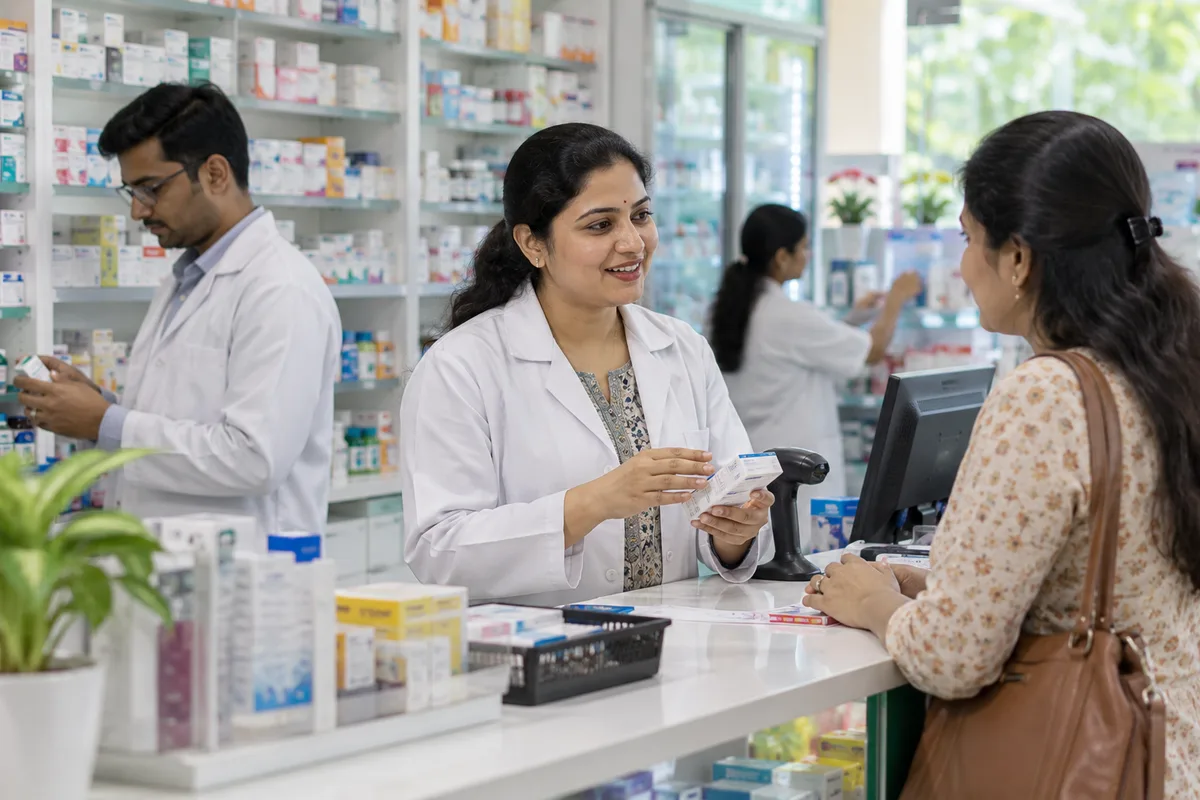
A name on a phone screen is not enough for someone about to hand over a prescription. Photographs of the licensed premises, the counter and the dispatch shelf tell them a pharmacist is in the building.
“A delivery radius is not the same as a service area”
Delivery cost climbs on some roads and drops on others. Setting the profile to the whole city invites enquiries from pin codes you cannot serve, while a tight map leaves paying customers out.
“An open-now result is won at night”
The searcher with a sick child at eleven in the evening picks the store marked open. Hours that are wrong, or that ignore the night counter, hand the order to whoever updated their profile.
“Reviews about a wrong or late delivery sit beside the rating”
A customer reading the pack sees one complaint about a substituted brand and decides. A public reply that explains what changed, and offers a call, answers the reader as well as the complainant.
What we do
What we deliver for online pharmacies.
The work available for this need. We agree the deliverables and responsibilities for your engagement in writing.
A profile that shows the licensed premises
Photographs of the shop front, counter and dispatch area, with opening hours, the store address and an answered number.
Result: The listing looks like the store a customer would find on foot.
Delivery pin codes set from your own order record
A service area drawn from the pin codes you actually deliver to, reviewed against the cost of delivery.
Result: Maps shows you to households you can serve.
Night and holiday hours kept current
Special hours entered for festivals and public holidays, and a rule on who updates them.
Result: A late search finds a store marked correctly.
A reply routine for delivery complaints
A short, plain reply for late, wrong or substituted orders, with an offer to call and no personal health detail in public.
Result: Complaints are answered where the next customer reads them.
One profile per store
A separate listing for each licensed premises, with its own photographs, hours and delivery area.
Result: The nearest store is the one that appears.
How the result is measured
- Map pack ranking
- Local search visibility
- Enquiries by locality
Recorded as a baseline before work starts, so every later report has an honest comparison.
Searches your buyers type
The nearby searches a delivering pharmacy should be found for.
- pharmacy open now near me
- Keep night and holiday hours true on the map profile and the website, with the licensed premises shown. A wrong hour here costs a household that is already worried.
- late night medical store in Indiranagar
- Say only what the store really does. If the store opens late but does not stay open all night, write the exact hours, and show the delivery area by pin code.
- medicine home delivery in Koramangala
- A locality line on the profile and a page naming the pin codes served, taken from your own order record, with the delivery partner or rider route described plainly.
- pharmacy that accepts prescription on WhatsApp
- A profile service entry and a page that says how to send the prescription, who checks it and what the customer will be asked next. Add the WhatsApp button.
- chemist near hospital with delivery
- A page for the hospital's neighbourhood with the walking route for pickup and the delivery option for discharge medicines. Name the hospital only as a landmark.
Who it is for
This is written for these online pharmacies.
- Licensed retail pharmacies that have added a website, app or WhatsApp ordering
- Standalone online pharmacy companies running their own app
- Chronic care pharmacies built around monthly refill subscriptions
- Hospital and clinic pharmacies delivering discharge medicines to the home
- Pharmacy chains with an app and delivery in several neighbourhoods
- Online stores for surgical consumables and home care items beside medicines
- Corporate and insurer tie-up pharmacies serving employee health programmes
- Specialty pharmacies for diabetes, cardiac and elderly care lists
Before you decide
When this may not be the right fit.
- The store has no licensed premises to show, and a profile for a dark store or an address without a counter is refused by the map.
- Night hours are not yet fixed, and a listing that says open when the shutter is down earns angry reviews.
- Nobody can reply to delivery complaints on the profile, so a bad review would stay unanswered beside the rating.
Before you decide
Agree the work. Know how to judge it.
Local SEO for online pharmacies: use these checks to prepare, choose the scope, and review what changes.
Bring the right evidence
Confirm the real business address, service area, contact details, and who controls the business listings. Keep examples of calls that came from the wrong location or asked for a service you do not provide.
Make the scope clear
Choose the locations you actually serve and the information each needs. Agree who approves listing changes, responds to enquiries, and keeps opening hours accurate.
Check the work in use
Check the journey from a local search to a call or enquiry on a phone. The address, service area, and description should agree across your website and listings.
Know when to change course
Do not create an office claim for a place where you only serve customers remotely. Clear service coverage is more useful than a misleading local presence.
These are discussion points, not a fixed package. GullySales confirms the deliverables, responsibilities, fee, and term in writing after reading your brief and speaking with you.
Before we start
What to have ready before the work starts.
The records, access and decisions this work needs from online pharmacies. Anything missing is noted in the written scope, with who will supply it.
- Owner access to the business profile
- Owner or manager access to any existing profile, or the details needed to claim one. Verification may need a postcard or a call to the store phone. Without access we cannot correct hours, so the plan waits.
- A recent export of delivery addresses by pin code
- Delivery addresses or pin codes of the last stretch of orders, with names removed. They show the area you really serve. Without them, we set the area from a map and it may be too wide.
- Your licence papers for each store
- A copy of the licence for each premises and the address as written on it. The profile name and address must match. If a store's papers are being renewed, tell us, and we hold that store's profile until they are in order.
- A named person for night calls
- The staff member who answers the phone after the counter closes, and what they may say. A profile that shows night hours with no one answering draws bad reviews. If nobody covers nights, the profile shows the real hours.
- Photographs of the shop and signboard
- Clear photographs of the front, the signboard and the counter, taken in daylight. If they are not ready, we send a short note on how to take them. A profile without photographs of the premises looks like a listing for an app only.
How it works
How the local SEO work runs
The work itself, in order. How an engagement starts, from your brief to a written scope, is set out on our method page.
- 1
Photograph the licensed premises and the counter
We visit or ask for photographs of the shopfront, the counter, the cold storage area and the licence on display, if your pharmacist is willing. These images go on the profile, so a customer sees a real shop behind the app. You choose what is shown and what stays private.
- 2
Draw the delivery area from your order record
We take the delivery addresses of your recent orders and mark the pin codes you can serve, then set the service area on the profile to match. You tell us which areas are served only at certain hours. The profile never promises an area your riders do not reach.
- 3
Set the opening hours the desk can honour
We write the hours and the night and holiday arrangements with the person who runs the late shift. You say whether the counter, the phone and the delivery all run on the same hours. Hours on the profile must match what a customer finds at midnight.
- 4
Write the reply routine for delivery complaints
We write short replies for a late parcel, a wrong item and a missing item, each inviting the customer to call the desk and never discussing the medicine in public. You name the person who replies. A reply from a named staff member reads differently from a template.
- 5
Check each store has its own profile
If you run several stores, we confirm each one has a profile with its own address, phone and hours, and that no store sits under another's name. Duplicates are merged or reported. Check the platform's current rules on listing a dark store before creating anything.
- 6
Read profile actions against calls and orders
We compare calls, direction requests and orders from the profile with the figures noted before the work began, store by store. Where calls rise but orders do not, we look at how the desk answers. Reviews are read for what they say about delivery and the desk.
Where this fits
Three pieces of sales work, in this order.
This work sits inside sales process design, at stage 1, prospecting and lead generation. The audit comes before it, and sales management keeps it running.
Step 1
Sales audit
Find where deals are being lost and what to fix first.
Start here if you cannot say where orders are lost.
Step 2 · you are here
Sales process design
One written way to sell, from first enquiry to repeat order.
Start here if every salesperson sells differently.
Step 3
Sales management
A target, a review routine and someone who owns the number.
Start here if the team has targets and no routine.
FAQ
Questions owners ask before they call.
Not here? More answers, or ask on WhatsApp.
Can we list a dark store or warehouse with no counter?
Should our reviews mention medicines by name?
Do we need a profile if we only deliver and never have walk-ins?
May the map profile list the medicines we sell?
Does the profile show the medicines we sell?
What if a store is only a warehouse that ships orders?
How much does it cost?
How long is the contract?
How soon will we see results?
Who will actually do the work?
More for online pharmacies
Related work to consider.
Closest to this: search and visibility
Also for online pharmacies
Or start from the overview: sales and marketing for online pharmacies.
Your next practical step
Tell us what you are trying to grow, and we will read it before we call.
Eight short steps, mostly taps. Skip anything you would rather answer on the call.