CNC milling companies · Website
Build a site where a buyer sees the part, the bed size and where to send the file.
A website for a milling shop is a set of pages showing the parts you cut, the materials and machines, and a clear way to send a model. GullySales plans the pages, writes the text with you and sets up the file intake.
Scope, fee, reporting and term are agreed in writing after we have read your brief and spoken to you.
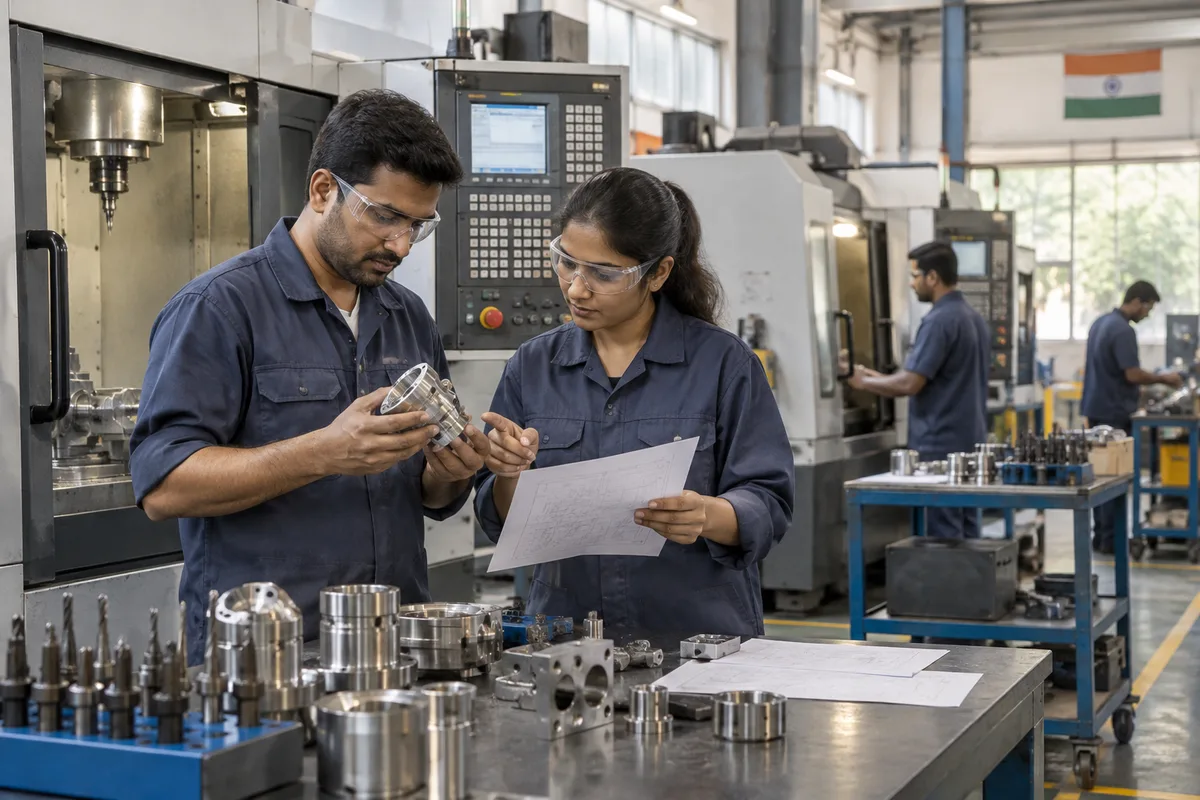
What website means
A website is the page a customer lands on after searching, clicking an advert or scanning a code, and it decides whether they call or leave. GullySales builds and maintains sites that load quickly, explain the offer plainly and make the enquiry form or phone number easy to find.
Last updated 14 Nov 2026.
For CNC milling companies
Where it usually goes wrong, and what we would do.
“A home page of machine names tells the buyer nothing”
A list of vertical machining centres and their brands means little to a designer with a bracket. Pages that lead with finished parts, materials and the largest size you can hold answer the question being asked.
“The buyer hunts for where to send the model”
A founder with a STEP file looks for a button, an address or a number. If the contact page is a form asking for a long message, the file goes to a shop with a WhatsApp link. The route for files must be on every page.
“Photographs from phones need care before they go up”
Dark images with cluttered backgrounds weaken good work. A plain background, even light and a caption naming the material and finish lift every part page without any new equipment.
“A site that never changes looks like a closed shop”
New capacity, new materials and recent parts should reach the site. A section that is easy to update means the estimator or supervisor can add a part after each job.
What we do
What we deliver for CNC milling companies.
The work available for this need. We agree the deliverables and responsibilities for your engagement in writing.
Page plan
A list of pages by part type, material and buyer: housings, plates, plastics, prototypes, tool rooms and machine builders.
Result: A map showing which page answers which buyer.
Part pages
Each page has photographs, materials, finishes, bed size, axes and a button to send a model.
Result: Every part page ends with a route for files.
File intake on every page
A visible WhatsApp link, email address and short form listing the details to send with the model.
Result: A buyer can send a file from any page.
About and capacity page
A plain statement of machines, bed sizes, inspection equipment and the materials you hold, with photographs of the floor.
Result: A buyer can check whether your capacity fits their part.
Update routine
A simple way for your team to add a new part photograph and caption after each job.
Result: New parts reach the site as jobs finish.
How the result is measured
- Page load time
- Bounce rate
- Enquiries from the website
Recorded as a baseline before work starts, so every later report has an honest comparison.
Searches your buyers type
The questions a buyer brings to a milling shop's site, and the page that answers each.
- Can you machine a part this large
- A capacity page with bed travel, axes and the largest part held, plus a photograph of the biggest piece cut. It filters out poor fits before they reach the estimator.
- Where do I send my STEP file
- A visible route on every page: a chat link, an email address and a short list of details to send. Founders look for this before they read anything else.
- What finishes do you offer
- A finishes page naming bead blasting, anodising and plain machined, and saying which are done in-house and which are sent out and add to the date.
- Do you work in plastics
- A plastics page listing nylon, acetal and the other polymers you cut, with a part shown for each. A buyer scanning for their material finds it at once.
- Have you made something like mine
- A parts gallery with captions naming material and finish. Add only parts you may show, and say so when a buyer's name is withheld.
Who it is for
This is written for these CNC milling companies.
- Prototype and startup hardware machining shops
- Machine builder part suppliers making plates and housings
- Tool room and fixture plate machining units
- Aluminium housing and heat sink machining shops
- Plastics and engineering polymer machining shops
- Electronics enclosure and panel machining units
- Job-work milling units serving other workshops
- Mould base and die plate machinists
Before you decide
When this may not be the right fit.
- You are mid-way through moving premises and your address, machines and capacity are about to change, so pages written now would be wrong soon
- No one has time to answer the chat link on the site, and a visible route to send a file that goes unread harms more than a plain phone number
Before you decide
Agree the work. Know how to judge it.
Website for CNC milling shops: use these checks to prepare, choose the scope, and review what changes.
Bring the right evidence
List the pages that support a buying decision and the actions visitors must complete. Keep examples of failed forms, unclear product information, and questions your team answers repeatedly.
Make the scope clear
Agree the page list, content ownership, integrations, and who controls the domain and hosting. Include redirects and existing search traffic in a redesign brief, before changing addresses.
Check the work in use
Complete a real enquiry journey on a phone and a laptop. Check that the confirmation appears, the enquiry reaches the right person, and tracking records the action once.
Know when to change course
If visitors can enquire but the team does not follow up, start with the sales handover. A larger website will not resolve that delay.
These are discussion points, not a fixed package. GullySales confirms the deliverables, responsibilities, fee, and term in writing after reading your brief and speaking with you.
Before we start
What to have ready before the work starts.
The records, access and decisions this work needs from CNC milling companies. Anything missing is noted in the written scope, with who will supply it.
- Ownership papers for the domain name
- Bring proof of who registered the domain and the email linked to it. A site built on a domain held by a former developer is at risk. If ownership is unclear, we sort it out before the build, because a new site is of no use when the address is lost.
- Machine list with bed size and axes
- Give the working size and axes of each machine in plain figures, as you would tell a buyer. This feeds the capacity page. Without it we would use vague wording, and buyers cannot tell whether the part fits.
- A sample of finished parts to photograph
- Set aside the finished plates, housings and brackets that you are proud of, and are free to show. Tell us which belong to customers who refuse display. If no suitable parts are free, we photograph test pieces, and the site grows as jobs finish.
- The file formats you can open
- List the model and drawing formats your software reads, and the largest file you accept. The intake form uses this list. If it is missing, buyers send files you cannot open, and the first reply becomes an apology.
- Someone to update the site afterwards
- Name the person who will add new parts and correct details, even if they only send us the changes. A site with no updater goes stale and looks like a closed shop. If nobody is named, we agree a handover plan with our own role stated.
How it works
How the website work runs
The work itself, in order. How an engagement starts, from your brief to a written scope, is set out on our method page.
- 1
Walk the existing site as a buyer would
We open the current site on a phone with the estimator, pretending to hold a model and look for where to send it. We note each click, each missing detail and each dead page. You tell us which pages bring calls today. That walk decides what to keep, mend or drop.
- 2
List the parts and capacity the site must show
You give us the part families you want more of, the bed sizes, the axes and the materials. We turn them into a page plan: a home page, one page for each part family, a capacity page and the file intake. You approve the plan before we design a single screen.
- 3
Take the part photographs on the shop floor
A photo session follows, with finished parts on a clean table, labelled with material and finish. We also take pictures of the machines in work, with fixtures you approve. Images from phones are corrected for light and size before they are placed on any page.
- 4
Write each page from the estimator's answers
We write the part pages and the capacity page from what the estimator says buyers ask. Each page ends with the place to send a model. You read every claim about tolerance or finish and strike what the shop cannot meet every time.
- 5
Test the intake on a copy of the site
On a test copy, we send dummy models through the form and the click-to-chat link, from a phone and a computer. We check that the files arrive complete, that the source is noted and that the estimator is alerted. You approve the final form wording.
- 6
Go live and read the first enquiries
After release we check every page, link and form once more on real devices, and hand you the logins. Then we compare the files and calls the site sends with the enquiry count from before the rebuild. You name the pages that need changes, and we agree who updates them.
Where this fits
Three pieces of sales work, in this order.
This work sits inside sales process design, at stage 1, prospecting and lead generation. The audit comes before it, and sales management keeps it running.
Step 1
Sales audit
Find where deals are being lost and what to fix first.
Start here if you cannot say where orders are lost.
Step 2 · you are here
Sales process design
One written way to sell, from first enquiry to repeat order.
Start here if every salesperson sells differently.
Step 3
Sales management
A target, a review routine and someone who owns the number.
Start here if the team has targets and no routine.
FAQ
Questions owners ask before they call.
Not here? More answers, or ask on WhatsApp.
Is the current site worth repairing, or must it be rebuilt?
Should the site show prices?
Can we show our customers' names?
Should the site list every machine we own?
Will we be able to edit the site ourselves?
Do we have to stop taking enquiries while the new site is built?
How long is the contract?
How soon will we see results?
Who will actually do the work?
What do you need from us?
More for CNC milling companies
Related work to consider.
Closest to this: search and visibility
Also for CNC milling companies
Or start from the overview: sales and marketing for CNC milling companies.
Your next practical step
Tell us what you are trying to grow, and we will read it before we call.
Eight short steps, mostly taps. Skip anything you would rather answer on the call.