Township developers · Website
Build a website that shows what exists today, dated, beside what is planned.
A website for a township is the place a family checks after a hoarding, a message or a broker's call: phases, plot types, photographs and how to reach the site. GullySales designs the pages, writes them with your team and connects every form to your enquiry record.
Scope, fee, reporting and term are agreed in writing after we have read your brief and spoken to you.
What website means
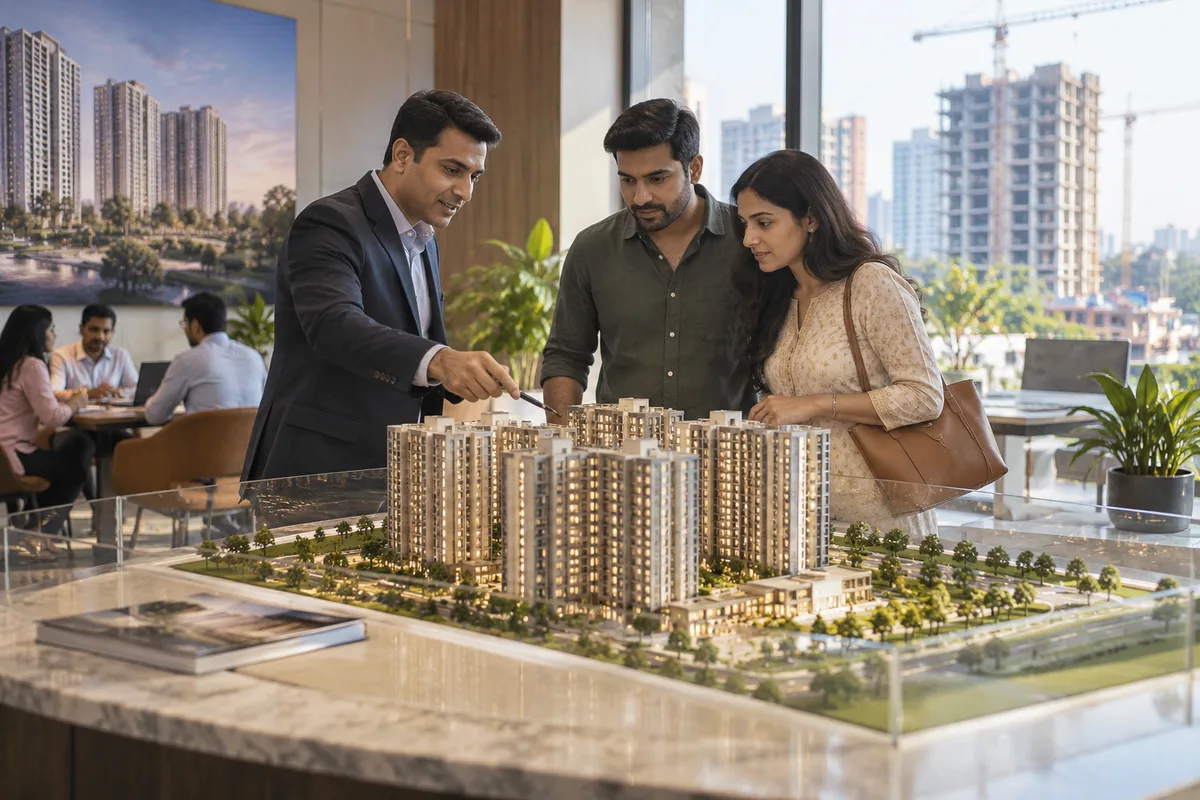
A website is the page a customer lands on after searching, clicking an advert or scanning a code, and it decides whether they call or leave. GullySales builds and maintains sites that load quickly, explain the offer plainly and make the enquiry form or phone number easy to find.
Last updated 14 Nov 2026.
For township developers
Where it usually goes wrong, and what we would do.
“The home page of a township is read by a spouse who has not visited”
One person visits the site office and the other checks the website at night. The page must answer the questions that person would put to the visitor.
“Dated photographs do more than renders”
A photograph with a date and a caption is believable. A rendering without a date asks the buyer to take the developer's word.
“Phase status must be on the page”
Buyers want to know what is open, booked and coming. A page that hides status makes the family call, and the call becomes a chore for the sales team.
“Forms that go to a personal inbox lose enquiries”
A form delivered to one person's email stops working when that person leaves. Every form should land in the shared CRM.
What we do
What we deliver for township developers.
The work available for this need. We agree the deliverables and responsibilities for your engagement in writing.
Phase pages with status
One page for each phase showing types, status, amenities and dated photographs.
Result: Each phase page shows its status and the date it was last updated.
Registration details on each phase
Registration numbers and sanctioned plan references added only after you confirm them in writing.
Result: Each phase shows the details you provided.
Directions and visit booking
A map, directions in the local language and a form to book a visit day.
Result: A family can book a visit from their phone.
Partner login or inventory link
A page where registered partners see current availability and the commission sheet.
Result: Partners reach current availability without calling.
Forms connected to the CRM
Every enquiry form and call button tagged and sent to the shared record.
Result: An enquiry made on the site appears on a CRM record with its source.
A page update routine
A named person and a checklist for updating status and photographs.
Result: The site shows the same status as the sales sheet.
How the result is measured
- Page load time
- Bounce rate
- Enquiries from the website
Recorded as a baseline before work starts, so every later report has an honest comparison.
Searches your buyers type
Pages a township site needs for the family that has not yet visited.
- township plots and villas with dated photographs
- A page with what exists today beside what is planned, each photograph dated, so a spouse who has not visited can judge.
- township phase availability
- A phase page showing the status of each block and the plot map to download. Update it as units are booked.
- township amenities and handover stages
- A table of club house, school, shops and roads by stage, kept honest and dated.
- book a township site visit
- A form with visit day, group size and a shortlist of units. It goes to a shared inbox, not a personal one.
- township location and how to reach
- Directions, a map pin and the nearest landmarks, with a note that the road may differ from a map.
- township loan and paperwork guide
- A page explaining the steps in plain words and telling the buyer to check with their own adviser.
Who it is for
This is written for these township developers.
- Plot buyers in planned layouts
- Apartment and villa buyers inside the township
- Families upgrading from rented city homes
- NRI buyers
- Investors buying plots for resale
- Retailers and schools taking commercial blocks
- Channel partners and local brokers
- Employees of nearby industries and campuses
Before you decide
When this may not be the right fit.
- You have no recent photographs of the site, so the pages would lean on renders a family has already seen.
- Nobody will keep the phase availability current, and a stale page would send families to booked plots.
- The enquiry form would reach a personal inbox that is checked only when the executive is free.
Before you decide
Agree the work. Know how to judge it.
Website for township developers: use these checks to prepare, choose the scope, and review what changes.
Bring the right evidence
List the pages that support a buying decision and the actions visitors must complete. Keep examples of failed forms, unclear product information, and questions your team answers repeatedly.
Make the scope clear
Agree the page list, content ownership, integrations, and who controls the domain and hosting. Include redirects and existing search traffic in a redesign brief, before changing addresses.
Check the work in use
Complete a real enquiry journey on a phone and a laptop. Check that the confirmation appears, the enquiry reaches the right person, and tracking records the action once.
Know when to change course
If visitors can enquire but the team does not follow up, start with the sales handover. A larger website will not resolve that delay.
These are discussion points, not a fixed package. GullySales confirms the deliverables, responsibilities, fee, and term in writing after reading your brief and speaking with you.
Before we start
What to have ready before the work starts.
The records, access and decisions this work needs from township developers. Anything missing is noted in the written scope, with who will supply it.
- Dated photographs of the township today
- Roads, gate, gallery, a finished block, with dates. Renders may appear but are labelled. If only renders exist, the site will say so honestly, and the home page will carry less weight with a family that wants to see what is real.
- Domain and hosting details
- Who owns the township's web address and where the site sits. If a broker or a former vendor registered it, you need to recover it before launch. Without control of the address, we cannot connect the forms or move the site.
- Registration and approval details cleared by your adviser
- The wording and numbers your lawyer approves for public display, phase by phase. We do not choose what appears. Where nothing is cleared, the page leaves a marked gap rather than a guess, and the site goes live with less detail.
- A plot and home type list for each phase
- The types, sizes and facings on offer, in the form your sales team uses. The phase pages depend on it. If the list changes, say who will tell us, because a wrong type on a page sends a family to a plot that no longer exists.
- A decision on showing prices
- Only the owner can say whether prices, price ranges or only a request for details appear on the site. Each choice affects the enquiries. Until you decide, the site asks for details and displays no price, and we note it for review.
How it works
How the website work runs
The work itself, in order. How an engagement starts, from your brief to a written scope, is set out on our method page.
- 1
Agree what the site must answer
We list with you the questions a spouse who has not yet visited the township will ask when they open the site: where is it, what is ready, what does a plot cost to hold, who has bought. You decide which questions the site must answer without a phone call. This list decides which pages the site needs and which can wait until a later phase, so nothing is built that a family would not look for.
- 2
Gather content and access from the township
You hand over the approved plans, dated photographs, the registration details your adviser has cleared, and the domain and hosting logins. Gaps are listed with the name of whoever will fill each. What exists afterwards is a content folder and a list of gaps, each with a name against it.
- 3
Draw the phase pages and the site map
We sketch the home page, a page for each phase with its status, the directions page, the partner page and the visit booking page. You approve the order. A phase that is sold keeps its page, with a note that sends visitors to the open one, as we agree here.
- 4
Write and fill a test version
We build the site on a private address and put in the real text, photographs and plot types. You and the sales head read every page on a phone, and mark what is wrong. Nothing goes live until the sales head has checked that each plot, phase name and distance is true.
- 5
Connect forms to the enquiry record
Every form is sent to the enquiry record with its page as the source. We submit test enquiries and watch them arrive, including one from the partner page. You see that no enquiry goes to a personal inbox. The step ends when each form lands where your sales team looks.
- 6
Test the live site and receive the logins
After launch we open each page on different phones, test every form and link, and compare enquiries with the figures from before. You receive the logins and the update routine, and name who changes phase status. We then look at what visitors read and decide the next edits together, starting with pages where visitors leave without using a form.
Where this fits
Three pieces of sales work, in this order.
This work sits inside sales process design, at stage 1, prospecting and lead generation. The audit comes before it, and sales management keeps it running.
Step 1
Sales audit
Find where deals are being lost and what to fix first.
Start here if you cannot say where orders are lost.
Step 2 · you are here
Sales process design
One written way to sell, from first enquiry to repeat order.
Start here if every salesperson sells differently.
Step 3
Sales management
A target, a review routine and someone who owns the number.
Start here if the team has targets and no routine.
FAQ
Questions owners ask before they call.
Not here? More answers, or ask on WhatsApp.
Do we need a separate site for each phase?
Can the site show prices?
Do we need a separate site for each phase?
Can the site show prices?
Who will keep the phase status up to date?
Can the website carry a login for channel partners?
How long is the contract?
How soon will we see results?
What do you need from us?
What if we are not happy with the work?
More for township developers
Related work to consider.
Closest to this: search and visibility
Also for township developers
Or start from the overview: sales and marketing for township developers.
Your next practical step
Tell us what you are trying to grow, and we will read it before we call.
Eight short steps, mostly taps. Skip anything you would rather answer on the call.