Notes for owners · CRM, automation and RevOps
Sending a repair estimate on WhatsApp with photos so customers say yes
How a workshop can send a repair estimate on WhatsApp with fault photos, itemised parts and labour, and a clear approval message, so billing day brings no argument.
The GullySales team · Updated 17 Oct 2026 · 6 min read
On this page
- What does a customer need to see before saying yes?
- What goes into the photos?
- A message layout that works on a phone screen
- Should you send one message or one per item?
- When should you not use this?
- How do you stop the unanswered estimate from going cold?
- Setting it up so it does not depend on one person
A customer leaves the car on Saturday. You phone with "brake pads, discs and a clutch plate, around twelve thousand", the owner says fine, and on Monday at the billing desk says the clutch was never agreed. A WhatsApp estimate prevents that argument. It carries a photo of each fault, the parts and labour on separate lines, a total, and one line asking for a reply. The "yes" then sits in writing under exactly what was approved.
What does a customer need to see before saying yes?
Most people cannot judge a brake disc, so they judge you. Three things move them from doubt to approval.
The fault, shown. A photo of the scored disc, the cracked boot or the oil on the undertray. One photo per item, with a short caption: "Front left disc, worn past the limit mark."
The money, split. Parts and labour on different lines, per item. Customers push back less on a total they can see the pieces of.
The choice, stated. Mark what is needed now, what can wait, and what is only advice. A customer who is allowed to defer the wiper blades trusts you with the clutch.
What goes into the photos?
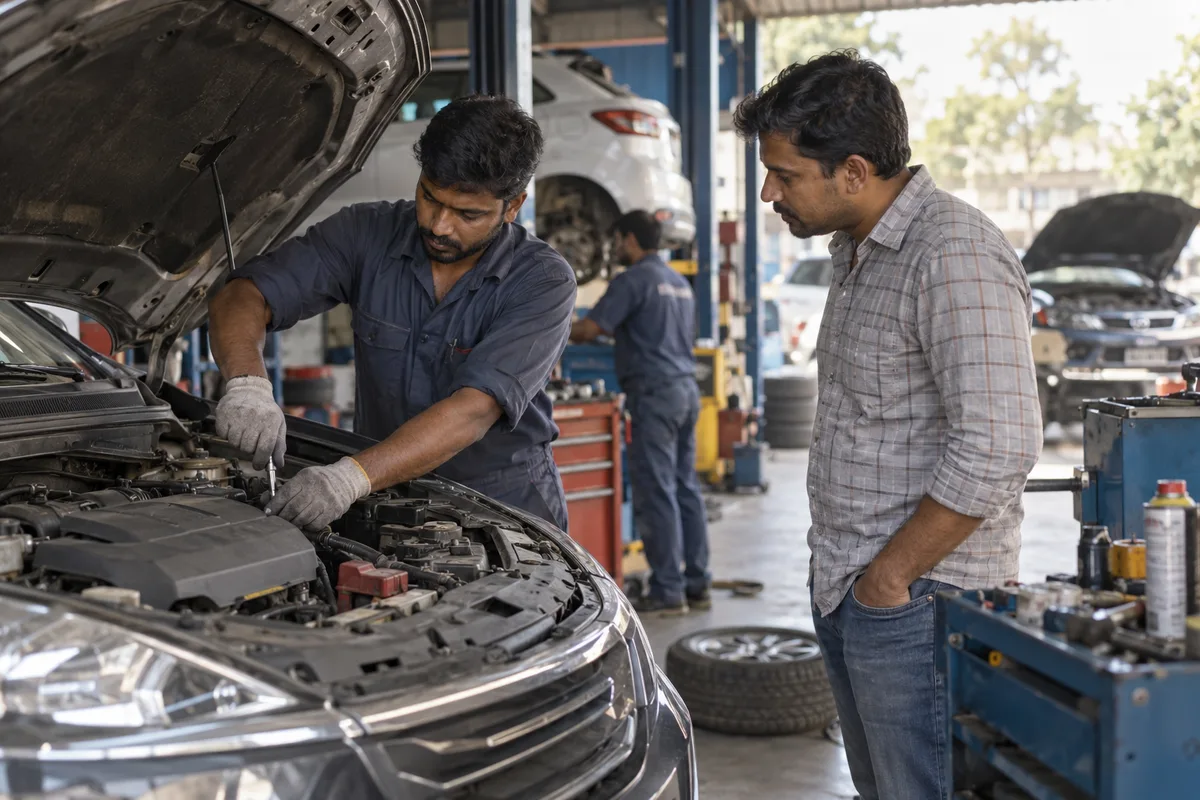
Take them while the vehicle is on the lift, on the same phone you will send from, so nothing is lost in transfer. Shoot each fault close, then once wide so the customer can tell which side of the car it is. Add the job card number on a slate or a sticky note in at least the first frame.
Photographing every fault costs the mechanic a few minutes per job, and that time has to be allowed for in the bay schedule. Do not photograph what you cannot explain. A blurred picture of a seeping gasket starts a different argument. If the fault shows only under load or on a test drive, say that in words and do not fake a photo.
A message layout that works on a phone screen
Keep it short enough to read without scrolling twice. Here is a layout you can paste into your notes app and fill in per job.
Job card 2417 | Maruti Swift | KA 05 xx xxxx
Namaste Rao ji. Inspection is done. Photos above.

NEEDED NOW
1. Front brake pads (set): parts ₹1,800 | labour ₹400
2. Front discs (pair): parts ₹3,600 | labour ₹600
Subtotal needed now: ₹6,400

CAN WAIT (next service)
3. Wiper blades: parts ₹450 | labour ₹0

ADVICE ONLY
4. Rear tyres show wear. Check again at 5,000 km.

Total if you approve items 1 and 2: ₹6,400
Reply YES 1,2 to approve.
Old parts returned on request.
The figures above are illustrative. Two details matter more than they look. The reply format, "YES 1,2", lets the customer approve part of the list, and you record exactly which part. Add a ready-by time only after the yes, once the bay and the parts are confirmed, because a time printed on an estimate reads as a promise.
Should you send one message or one per item?
Send one estimate message, with the photos above it, not a stream of separate texts. If the customer reads Hindi or Kannada more easily than English, write the item lines in that language, with a fluent speaker checking the wording. Customers lose the thread on a long chat, and the chat is your evidence later. If you must add work after opening the unit, send a second estimate headed "Additional work found" with its own photos and its own total. Do not edit the first. Two clean messages, each with its own yes, are far easier to defend than one amended list.
For example, an invented multi-brand car workshop in Indore used to send a one-line text: "Brakes and clutch, about 12,000, ok?" The customer replied "ok", and at pickup insisted the approval had been for the brakes alone. The advisor had no photo, no split and no way to show which job the "ok" belonged to, so the workshop waived the clutch labour. It now sends the layout above, and the mechanic touches nothing beyond the items marked in the reply. Disputes fall, but not to zero: one customer still approves "YES 1,2" and then asks why the total includes labour. Calls did not stop either. Older customers still ring to ask what a disc is, and the advisor answers with a voice note before asking for the typed approval. The phone is the right tool for a worried customer. WhatsApp is the right tool for the record.
When should you not use this?
Skip the photo estimate when the job is a routine service on a fixed menu that the customer already priced, because extra messages add friction. Skip it for a stranded vehicle on the road where the owner needs a call, not a chat. And do not message family members of the registered owner without asking the owner first.
Be careful with insurance claims. Do not tell a customer what the insurer will cover; confirm with the insurer or your own adviser, and use the insurer's process for damage photos.
How do you stop the unanswered estimate from going cold?
Some customers read and do not reply. Set a rule your advisor follows without thinking: nudge once, phone if the vehicle is blocking a bay, and start no work on an unanswered item. Keep the nudge neutral: "Rao ji, estimate 2417 is waiting for your reply on items 1 and 2. Reply YES or call us on this number." Our note on following up on a quotation covers the longer rhythm for bigger jobs.
One more habit helps in a busy shop: save the contact as "2417 Rao Swift". When three advisors share a number, that label lets any of them find the right chat.
Setting it up so it does not depend on one person
An estimate habit that lives in one advisor's phone disappears when the advisor leaves. Save the estimate, the photos and the yes against the job card, whether you use paper, a spreadsheet or garage software.
Try it on the next five jobs: photograph, itemise, send, record the yes. If you want the layout and the nudges set up across all your advisors as a WhatsApp sales process for your auto repair shop, tell us what you need.
Related services