Family restaurants · Social media
Post for the household that decides, not for the follower who only scrolls.
Social media marketing for a family restaurant means using Instagram, Facebook and community groups to show the room, the service and the occasions, so that a household recognises the place before the first visit. GullySales works on what to post, where, and how it connects to a booking.
Scope, fee, reporting and term are agreed in writing after we have read your brief and spoken to you.
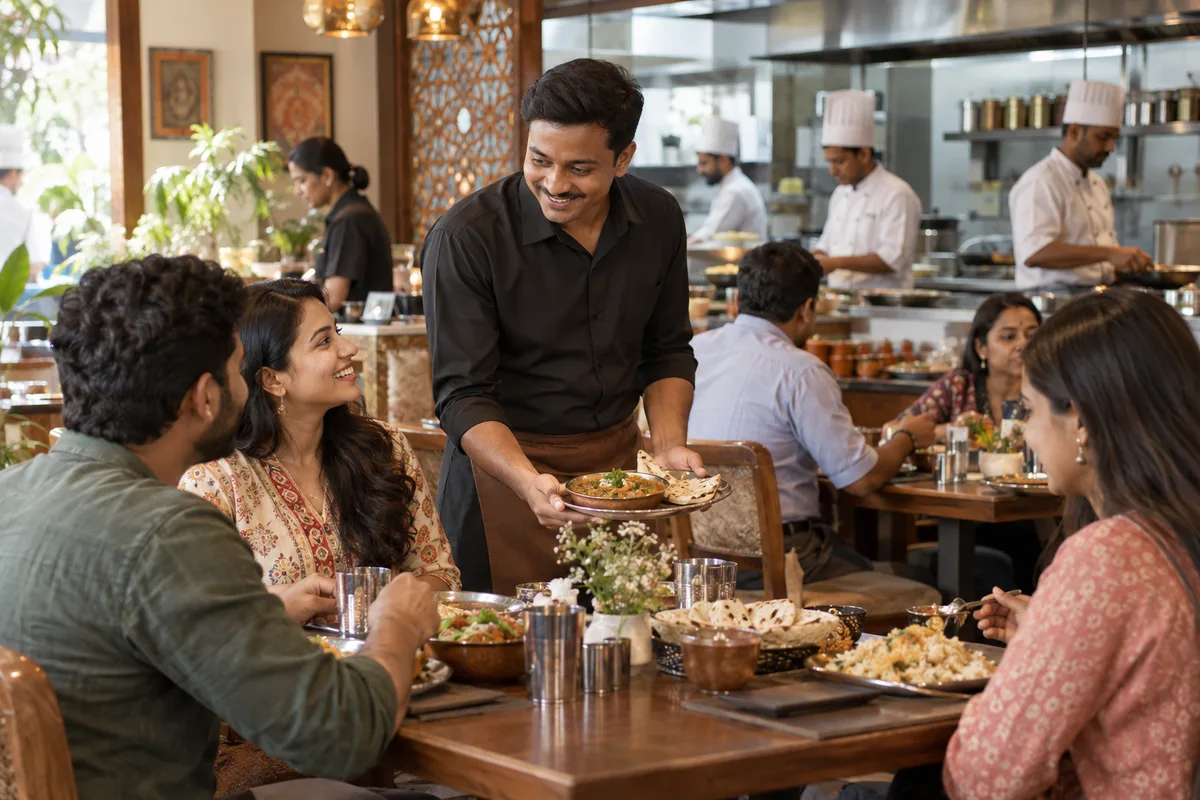
What social media means
Social media is the ongoing posting your business does on platforms such as Instagram, Facebook and LinkedIn to stay visible to customers and prospects between purchases. GullySales plans a posting calendar, writes captions and designs the images so the page looks active and answers what a visitor would ask.
Last updated 14 Nov 2026.
For family restaurants
Where it usually goes wrong, and what we would do.
“The planner is not scrolling for dinner”
The person arranging Sunday lunch opens social media for family news, and a restaurant appears as a recommendation or a tag. The post that matters is the one a relative forwards, not the one that collects the most taps.
“A plate photograph says little to a family”
Close-ups of a dish suit a different audience. A family wants to see the long table, the high chairs, the space between tables and the staff greeting an elder. The room is the post, and the food sits beside it.
“Guests in pictures need their consent”
A table of relatives celebrating makes a warm photograph, but the family has not agreed to its use. Ask before posting, and keep children out of public posts unless a parent has clearly said yes.
“Community groups matter more than followers”
A neighbourhood group where a new resident asks where to eat on Sunday is worth more than a hundred strangers who follow the page. Being named there by neighbours carries more weight than anything the restaurant posts.
What we do
What we deliver for family restaurants.
The work available for this need. We agree the deliverables and responsibilities for your engagement in writing.
A simple set of post types
Four kinds of post: the room, the occasion, the weekday thali and the festival menu, each with a plain caption and the booking contact.
Result: The page follows a clear pattern instead of random uploads.
A photography checklist for the floor
A short list of shots worth taking at each service: the table set for a group, the family area, the children's plate, the staff at the door.
Result: The owner has usable pictures without hiring a studio.
A consent habit for guest photographs
A polite question at the table before any guest appears in a post, with a record of who agreed.
Result: No family appears in a post without having said yes.
A neighbourhood group presence
The restaurant's honest introduction and menu offered where a group allows it, and replies to residents who ask.
Result: The restaurant is named in the places residents ask.
Booking links on every post
A WhatsApp number or booking link in the profile and under each post that invites a table enquiry.
Result: Every post gives a family one way to ask for a table.
How the result is measured
- Posts published
- Engagement rate
- Enquiries from social profiles
Recorded as a baseline before work starts, so every later report has an honest comparison.
Posts and pieces to plan
These are the posts a family restaurant can plan, each with the proof it needs.
- The Sunday table, laid for ten
- A photograph of an empty long table with the date and booking route. Proof is the room itself, so no guest has to appear in the frame.
- Weekday thali of the day
- A clear photo of the plate with the dishes named in the caption. Post it the same morning, so a nearby resident or retiree can decide before lunch.
- Birthday setup, shown empty
- A picture of the decorated table before the guests arrive, with the set menu in the caption. It tells the host what is possible without showing a stranger's child.
- Festival closing and opening hours
- A plain card with the dates and times. Families plan around festivals, so this is the post people save and show to relatives.
- Meet the kitchen family
- A short post about the person who makes the dal or the sweet, with their consent. It suits a restaurant run by one family across generations.
Who it is for
This is written for these family restaurants.
- Neighbourhood family restaurants
- Highway family dhabas and restaurants
- Restaurants inside residential townships
- Restaurants with a play area for children
- Family restaurants in malls and on mall food floors
- Multi-generation restaurants run by one family for decades
- Restaurants near temples, hospitals and schools
- Family restaurants with banquet or party hall space
Before you decide
When this may not be the right fit.
- No one on the floor will photograph the room before service, so there would be nothing real to post
- You have not agreed a rule for guest photographs, so a post could show a family that never consented
- Your phone is not answered after a post goes up, so interest from social media would be lost
Before you decide
Agree the work. Know how to judge it.
Social media for family restaurants: use these checks to prepare, choose the scope, and review what changes.
Bring the right evidence
Review the posts that produced useful conversations, not only the ones with the most views. Gather buyer questions and decide which team member can contribute credible material.
Make the scope clear
Choose the audience and channel before setting a posting volume. Agree who supplies material, approves posts, and handles messages, including complaints or questions the agency cannot answer.
Check the work in use
Follow a post through to the profile, website, and response. A useful report explains the quality of conversations and enquiries, alongside reach and engagement.
Know when to change course
If publishing takes time away from unanswered buyer messages, fix the response routine first. Do not expand to another channel without a clear reason for being there.
These are discussion points, not a fixed package. GullySales confirms the deliverables, responsibilities, fee, and term in writing after reading your brief and speaking with you.
Before we start
What to have ready before the work starts.
The records, access and decisions this work needs from family restaurants. Anything missing is noted in the written scope, with who will supply it.
- Admin rights to the social pages
- The restaurant's page must belong to you, not to a former agency or a cousin who set it up. Without admin rights we cannot schedule posts, and a page nobody can recover is left to go quiet.
- A shared folder of recent photographs
- Phone pictures from the floor are enough, if they are bright and show the space. The folder tells us what the room truly looks like, and if it is empty we must plan a photo visit before any calendar.
- A name for the person who approves posts
- One person must say yes or no to each draft. When approval is shared by three people it stalls, and the festival post goes out after the festival. That person also decides what happens when a guest comments with a complaint on a post.
- A rule on photographing children
- Decide with the owner whether children in the play area can appear in pictures at all, and who asks the parents. Without a rule, staff post what they like and a parent complaint ends the effort.
- The booking number shown on every post
- Choose the one number or WhatsApp link that families should use, and make sure someone answers it. A post that drives interest to an unanswered line wastes the whole calendar.
How it works
How the social media work runs
The work itself, in order. How an engagement starts, from your brief to a written scope, is set out on our method page.
- 1
Decide which platform the family uses
We ask the manager which platform guests mention at the table: Instagram, Facebook or the neighbourhood groups. You choose one or two to start. A restaurant that tries every platform posts thinly on each, so we settle on the ones whose audience already includes your regulars.
- 2
Collect floor photographs from staff
Staff take the pictures for our checklist: the family table laid out, the high chair, the play corner, the thali being served. We receive these through a shared folder. You tell us which images show a guest or a child, and those are held back until consent exists.
- 3
Sort posts into a few types
From what we collected, we sort the posts into a short set: the room, a dish a family orders, a festival menu, a celebration, and a notice of closure. You approve the set, and cross out any type the staff will not manage to keep up, such as a dish video, since a post type that stops after two or three posts leaves the page looking abandoned.
- 4
Read each draft with the manager
We write the captions, and the manager reads every draft for facts such as dish names, opening times and booking numbers. A caption with a wrong detail is corrected before posting. You release each post, or tell us which staff member may.
- 5
Test the booking link on a post
Before the first post goes live, we tap the booking link on a phone the way a family would, and the manager confirms that a person answers. A post that sends interest to a silent line is held back until the route works.
- 6
Join the neighbourhood groups
With the owner's name or the restaurant's page, we join the local society and parents' groups, read their rules, and answer questions only where the group allows it. We then read the bookings your diary links to social posts, and you decide which post types stay.
Where this fits
Three pieces of sales work, in this order.
This work sits inside sales process design, at stage 0, foundation. The audit comes before it, and sales management keeps it running.
Step 1
Sales audit
Find where deals are being lost and what to fix first.
Start here if you cannot say where orders are lost.
Step 2 · you are here
Sales process design
One written way to sell, from first enquiry to repeat order.
Start here if every salesperson sells differently.
Step 3
Sales management
A target, a review routine and someone who owns the number.
Start here if the team has targets and no routine.
FAQ
Questions owners ask before they call.
Not here? More answers, or ask on WhatsApp.
Do we have to post every day?
Should we pay for Instagram or Facebook promotion?
What about reels of the kitchen?
Can we post photographs of children at our play area?
Who replies to comments and messages on the pages?
Is it a problem if our competitor posts more than we do?
How much does it cost?
How long is the contract?
How soon will we see results?
Who will actually do the work?
More for family restaurants
Related work to consider.
Closest to this: content and social
Also for family restaurants
Or start from the overview: sales and marketing for family restaurants.
Your next practical step
Tell us what you are trying to grow, and we will read it before we call.
Eight short steps, mostly taps. Skip anything you would rather answer on the call.