Serviced apartments · Social media
Show the kitchen, the desk and the lane to the gate, because a long stay is judged on them.
Social media marketing for serviced apartments is the use of Instagram, Facebook, LinkedIn and YouTube to show a flat the way a person living in it for weeks would see it. GullySales works on what you post, where it points and who sees it, without treating likes as bookings.
Scope, fee, reporting and term are agreed in writing after we have read your brief and spoken to you.
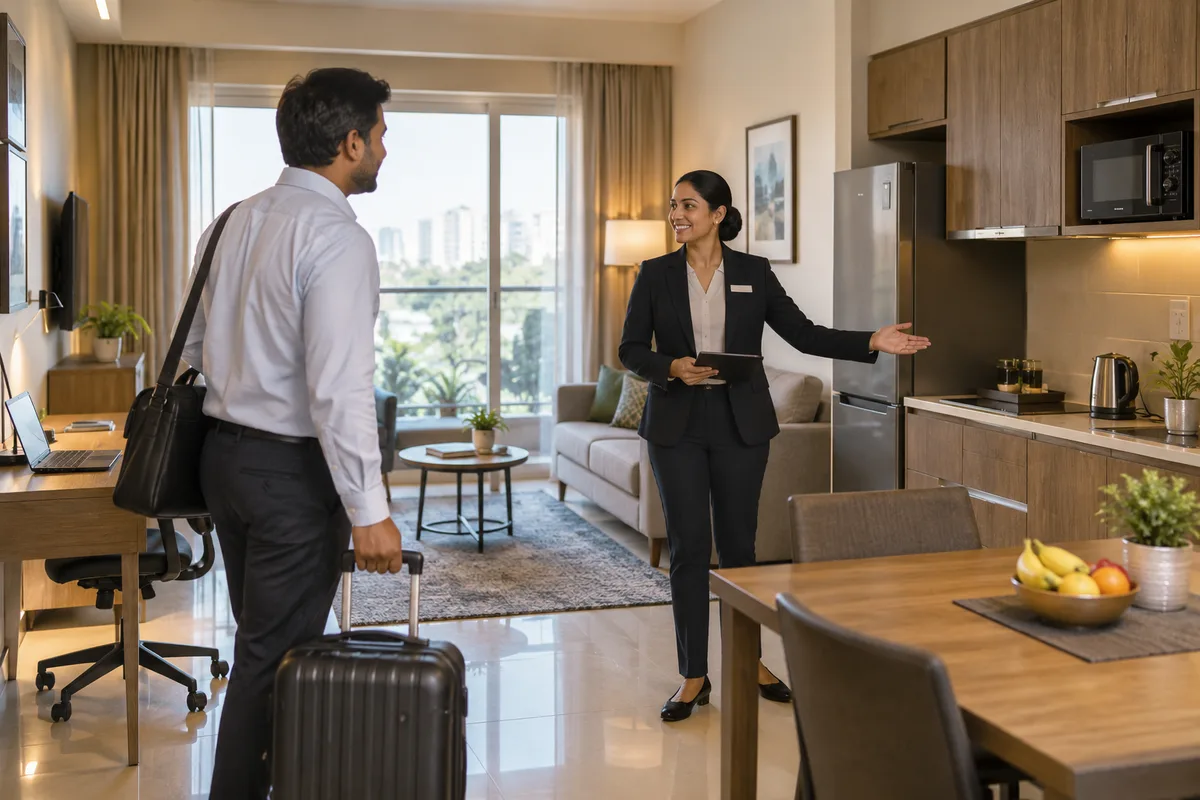
What social media means
Social media is the ongoing posting your business does on platforms such as Instagram, Facebook and LinkedIn to stay visible to customers and prospects between purchases. GullySales plans a posting calendar, writes captions and designs the images so the page looks active and answers what a visitor would ask.
Last updated 14 Nov 2026.
For serviced apartments
Where it usually goes wrong, and what we would do.
“A long-stay buyer wants proof of daily life”
A hotel photograph shows a bed. The relocating employee wants the stove, the washing machine, the work desk, the balcony and the walk to the main road. A feed of lobby shots leaves those questions open.
“LinkedIn reaches the desk, Instagram reaches the guest”
The executive who places staff reads LinkedIn at work and forwards a link. The consultant between homes scrolls Instagram in the evening. A single post aimed at both audiences misses each.
“Guests photograph the building but you never ask”
A new arrival films the entrance, the lift and the view from the window. Those clips are more believable than yours, yet no one asks permission to share them, and the feed stays thin.
“A feed with no route to a rate”
A well-liked reel of a studio flat ends with no link, no WhatsApp button and no price direction. The viewer saves it and books whoever answers first.
What we do
What we deliver for serviced apartments.
The work available for this need. We agree the deliverables and responsibilities for your engagement in writing.
A shot list for each unit type
A plan for photographs and short videos of each flat: kitchen, bed, work desk, laundry, bathroom, balcony and the approach from the gate.
Result: Every unit type has a set of images that answer the long-stay questions.
LinkedIn posts for HR and admin desks
Posts about stay options, invoice terms and distance to named office clusters, written for the person who places staff.
Result: A desk executive can forward a post and be understood.
Instagram and Facebook posts for guests
Walkthroughs, neighbourhood notes and answers to the questions guests ask on arrival, each ending in a WhatsApp button.
Result: A viewer can ask for a rate from the post.
A guest permission routine
A simple request to share photographs from a stay, with consent recorded, and no guest shown without it.
Result: You hold permitted images that are not staged.
A comment and message reply routine
Who answers comments and direct messages, the saved replies and how an enquiry moves into the shared register.
Result: No message from the feed sits unanswered.
A post-by-post enquiry note
Each post marked with the enquiries it produced, set against the baseline recorded before work started.
Result: You see which posts brought an enquiry and which brought only praise.
How the result is measured
- Posts published
- Engagement rate
- Enquiries from social profiles
Recorded as a baseline before work starts, so every later report has an honest comparison.
Posts and pieces to plan
What to post so a relocating employee can picture living in the flat for weeks.
- The kitchen with the stove on
- A short video from the door to the stove, fridge and cookware. It answers whether a person can cook here for six weeks, and it needs the real flat, not a show unit.
- The work desk and the Wi-Fi in use
- A photograph of the desk, the chair and the router position by day. The consultant working from the flat reads this closely, so claim only what the building provides.
- The walk from the gate to the door
- A phone video of the entrance, the lift and the lane, with a caption naming the landmark to tell the driver. It prevents the late-night call to the security guard.
- A move-in day in the gate book
- A post showing what a new arrival is handed: keys, documents to carry, the housekeeper's visit routine. A guest or company desk needs this more than a lobby shot.
- What the neighbourhood gives within a short walk
- A post on the grocery, the pharmacy and the bus stop around the building, with a map. It needs the actual shops, so only name what you have checked.
- A guest's own clip, shared with permission
- A moment a guest filmed and agreed in writing to share. It reads as more believable than your own pictures, and the written permission should be kept.
Who it is for
This is written for these serviced apartments.
- Purpose-built serviced apartment buildings with a reception
- Furnished flats run by an operator inside a gated community
- Apartments near tech parks for project teams and new joiners
- Medical-stay apartments near hospitals
- Villa-style serviced residences for families and expats
- Single-owner flats let out through a management company
- Studio and one-bedroom blocks for consultants and transferred staff
Before you decide
When this may not be the right fit.
- You have no photographs of the actual flats taken by day, so posts would rest on a lobby shot that tells a long-stay buyer nothing
- Nobody replies to comments and messages on the platforms, so interest from a post would go unanswered
- You want likes to count as bookings, though a company desk books after a rate and an invoice answer, not after a reel
Before you decide
Agree the work. Know how to judge it.
Social media for serviced apartments: use these checks to prepare, choose the scope, and review what changes.
Bring the right evidence
Review the posts that produced useful conversations, not only the ones with the most views. Gather buyer questions and decide which team member can contribute credible material.
Make the scope clear
Choose the audience and channel before setting a posting volume. Agree who supplies material, approves posts, and handles messages, including complaints or questions the agency cannot answer.
Check the work in use
Follow a post through to the profile, website, and response. A useful report explains the quality of conversations and enquiries, alongside reach and engagement.
Know when to change course
If publishing takes time away from unanswered buyer messages, fix the response routine first. Do not expand to another channel without a clear reason for being there.
These are discussion points, not a fixed package. GullySales confirms the deliverables, responsibilities, fee, and term in writing after reading your brief and speaking with you.
Before we start
What to have ready before the work starts.
The records, access and decisions this work needs from serviced apartments. Anything missing is noted in the written scope, with who will supply it.
- Logins for each social account
- We need admin rights on the building's Instagram, Facebook, LinkedIn and YouTube pages. If accounts were made on a staff member's phone, the owner must recover them. Without access we can write posts but not publish.
- A shot list agreed with the manager
- The manager knows which flats are empty and which angle shows best. Bring one hour on a day with a vacant unit of each type. Without a vacant flat we use what exists and mark the gaps.
- A rule on showing occupied flats
- Interiors of occupied flats are private. The owner must decide that none will be shown without written consent, and tell staff. Without the rule, a staff member may post a guest's flat.
- Names of the people who may speak
- Posts that show the manager or housekeeper need their consent. Choose who is willing and who is not. Where nobody is willing, posts show the building and the area only.
How it works
How the social media work runs
The work itself, in order. How an engagement starts, from your brief to a written scope, is set out on our method page.
- 1
Walk the building with a phone in hand
We start inside the building with your manager, noting what a long-stay guest would want to see: the kitchen with its equipment, the work desk, the washing arrangement, the lift, the gate and the street outside. From that walk we write a shot list for each unit type. You tell us which areas are not to be shown, such as occupied flats and the guest register.
- 2
Choose two platforms by who books
Company desks look on LinkedIn and guests look on Instagram and Facebook. We read your register to see who actually books, and pick the two platforms worth feeding. You agree who owns the accounts, and we collect the logins. A third platform waits until the first two have a steady routine.
- 3
Draft the first set of posts for review
We write a run of posts from the shot list: a day in a one-bedroom for a consultant, the walk to the tech park, the kitchen a family will cook in. Each post points to a page with a rate path. You read every one, strike what you dislike, and approve what goes live.
- 4
Set the guest permission routine
Guests photograph the building but are never asked to share. We write a short form the desk offers at check-out, which asks permission to post and records the answer. A guest who declines is never shown. Your manager keeps the signed forms with the register.
- 5
Agree who replies to comments and messages
Comments and messages from the posts need a person to answer in the same language the question came in. We assign one at your end and write short replies for the common questions. A message that asks for a rate moves to WhatsApp or a call so the enquiry is logged.
Where this fits
Three pieces of sales work, in this order.
This work sits inside sales process design, at stage 0, foundation. The audit comes before it, and sales management keeps it running.
Step 1
Sales audit
Find where deals are being lost and what to fix first.
Start here if you cannot say where orders are lost.
Step 2 · you are here
Sales process design
One written way to sell, from first enquiry to repeat order.
Start here if every salesperson sells differently.
Step 3
Sales management
A target, a review routine and someone who owns the number.
Start here if the team has targets and no routine.
FAQ
Questions owners ask before they call.
Not here? More answers, or ask on WhatsApp.
Which platform should we start with?
Can we show guests in our photographs?
Should we run paid posts?
Can we show the interior of an occupied flat?
Can we show the interior of an occupied flat?
Can we reply to a comment with a rate?
How much does it cost?
How long is the contract?
How soon will we see results?
Who will actually do the work?
From the blog
Further reading for serviced apartments.
 5 min read · 6 Oct 2026What buyers check before they book a stay or a catererGuests, tenants and event families judge hotels, homestays, PGs, serviced apartments and caterers on the same checks. What each looks like.
 5 min read · 6 Oct 2026How serviced apartments quote a one-month stayHow to write a one-month stay quote: what is included, what the deposit covers and what happens on an early exit, so the guest can say yes.
More for serviced apartments
Related work to consider.
Closest to this: content and social
Also for serviced apartments
Or start from the overview: sales and marketing for serviced apartments.
Your next practical step
Tell us what you are trying to grow, and we will read it before we call.
Eight short steps, mostly taps. Skip anything you would rather answer on the call.