Driving schools · Social media
Use Instagram and Facebook to show the instructor a nervous learner will meet.
Social media for a driving school is the use of Instagram, Facebook and short videos to show the cars, the instructors and the lessons. It works as proof for a learner who found you elsewhere and wants to see who they would be sitting beside. GullySales plans the posts and the replies around that single job.
Scope, fee, reporting and term are agreed in writing after we have read your brief and spoken to you.
What social media means
Social media is the ongoing posting your business does on platforms such as Instagram, Facebook and LinkedIn to stay visible to customers and prospects between purchases. GullySales plans a posting calendar, writes captions and designs the images so the page looks active and answers what a visitor would ask.
Last updated 14 Nov 2026.
For driving schools
Where it usually goes wrong, and what we would do.
“Learners look at the instructor before they book”
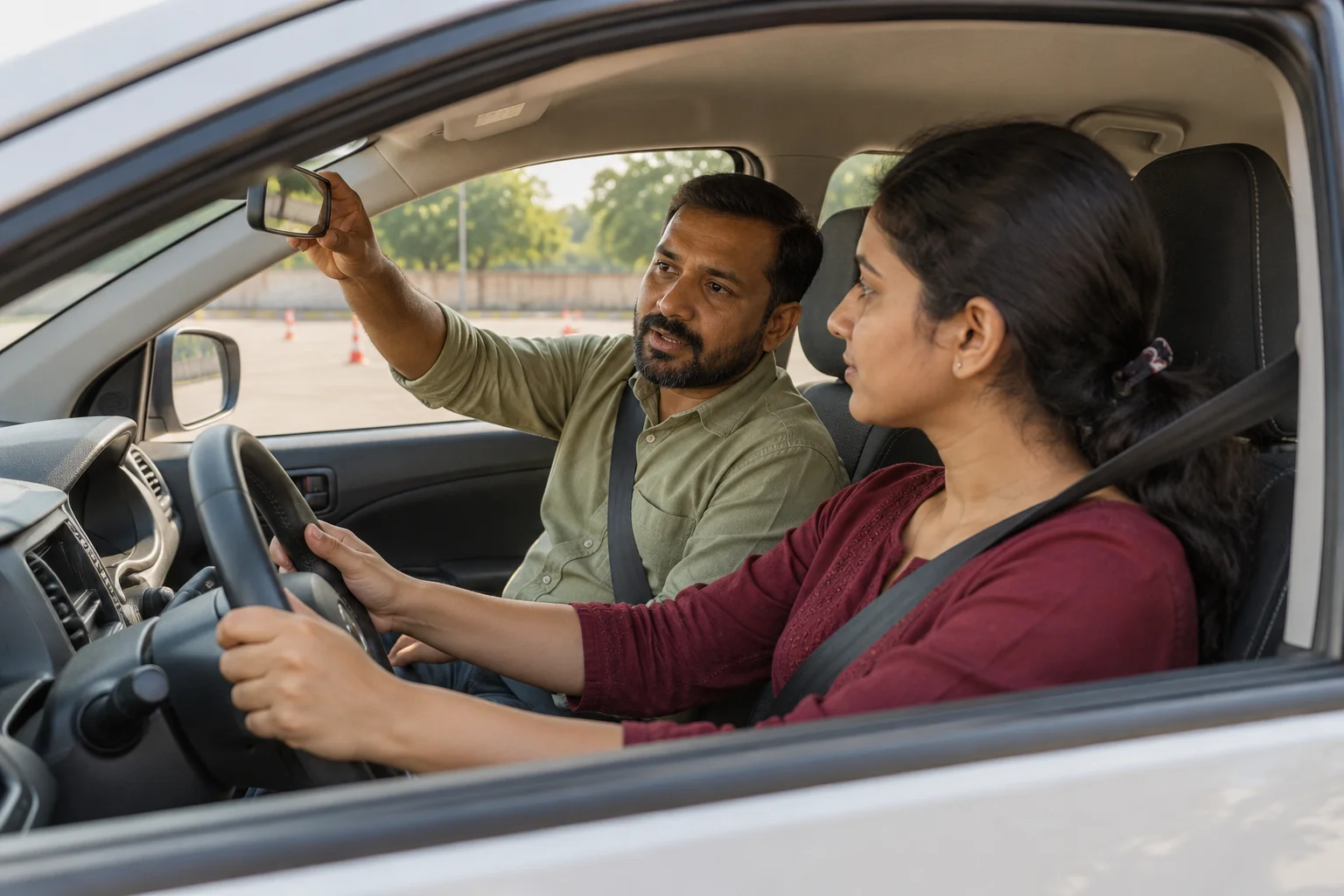
A nervous driver wants to see a calm face and hear a patient voice. A short clip of an instructor explaining the clutch in plain words does more than a poster with the fee.
“Safety and traffic content gets shared by families”
Reminders about seat belts, helmets and junction habits are the kind of post a parent sends on. They remind people the school exists without a hard sell.
“Learners will not appear on camera without asking”
A learner's face on a school page needs their agreement, and a minor needs a parent's. Content that shows the car, the ground and the instructor's hands avoids the problem and still looks real.
“A feed that only shows offers looks desperate”
Posting fee discounts on a loop tells the reader nothing about how the school teaches. A mix of lesson clips, route walk-throughs and answers to common questions gives the offer something to sit beside.
What we do
What we deliver for driving schools.
The work available for this need. We agree the deliverables and responsibilities for your engagement in writing.
A content plan built on what learners ask
A set of post and video ideas drawn from the questions at your front desk, such as parking practice and first-gear nerves.
Result: Every post answers something a learner has actually asked.
Short clips with an instructor on camera
Simple lesson videos filmed on a phone, with captions in the languages your learners use.
Result: A learner can hear the instructor before booking.
A consent routine for faces
A short written form for learners and parents, kept on file, before any face is posted.
Result: You can show the form for any face on your page.
Message replies on the pages
A routine for answering questions that arrive through direct messages and comments, with a hand-off to WhatsApp for fee and batch details.
Result: A message on the page leads to a conversation in your register.
Campaign posts for car-buying seasons
Posts built around the festival periods when families take delivery of cars, aimed at people nearby.
Result: The school appears around the time a new car is parked at home.
How the result is measured
- Posts published
- Engagement rate
- Enquiries from social profiles
Recorded as a baseline before work starts, so every later report has an honest comparison.
Posts and pieces to plan
A nervous learner watches the instructor first, so each post shows a real lesson.
- First lesson at the practice ground
- A short clip of an instructor explaining the controls to a learner who has agreed in writing to be filmed.
- Clutch control for a nervous learner
- A calm clip from the instructor showing one skill, with the car and the ground visible, and no claim about how long learners take.
- What to carry on test day
- A graphic naming the documents and the car check, with a pointer to the official transport portal for the current list.
- Women-only batch introduced
- A post introducing the instructor and the batch timings, with the instructor's consent.
- Safe driving reminder in monsoon
- A post by an instructor with practical road advice from the school's own experience, with no invented figures.
- Corporate driver training
- A post for fleet managers describing the course the school runs for staff drivers, and how to ask for details.
Who it is for
This is written for these driving schools.
- Car driving schools teaching first-time learners
- Two-wheeler and scooter training schools
- Women-only driving instruction
- Refresher courses for those who hold a licence but fear the road
- Automatic transmission and electric car training
- Driving schools that handle learner's licence and test booking support
- Heavy vehicle and commercial driver training
- Corporate and fleet driver training
Before you decide
When this may not be the right fit.
- The school has no one to reply to messages the posts bring in, so the page would collect questions it never answers
- Learners have not agreed to appear on camera, and posting their faces would breach their trust
- The page would only show offers and discounts, which tells a nervous learner nothing about the instructor
Before you decide
Agree the work. Know how to judge it.
Social media for driving schools: use these checks to prepare, choose the scope, and review what changes.
Bring the right evidence
Review the posts that produced useful conversations, not only the ones with the most views. Gather buyer questions and decide which team member can contribute credible material.
Make the scope clear
Choose the audience and channel before setting a posting volume. Agree who supplies material, approves posts, and handles messages, including complaints or questions the agency cannot answer.
Check the work in use
Follow a post through to the profile, website, and response. A useful report explains the quality of conversations and enquiries, alongside reach and engagement.
Know when to change course
If publishing takes time away from unanswered buyer messages, fix the response routine first. Do not expand to another channel without a clear reason for being there.
These are discussion points, not a fixed package. GullySales confirms the deliverables, responsibilities, fee, and term in writing after reading your brief and speaking with you.
Before we start
What to have ready before the work starts.
The records, access and decisions this work needs from driving schools. Anything missing is noted in the written scope, with who will supply it.
- Access to every page the school has
- Administrator access to the pages and accounts in the school's name. If an instructor set one up, get it transferred. Without access we cannot post, and a page that nobody controls should not be asked to carry the school's name.
- Instructors who agree to appear
- At least one instructor happy to be filmed, with permission in writing. A fear of the camera is common, so ask kindly. Without one, the clips show hands, the car and the ground.
- A signed consent routine for learners
- A form that learners or parents sign before a face is posted. Ask your adviser how it should read. Without forms, posts show the cars and the road only.
- The list of courses you want to push
- The courses and seasons where you have seats, so posts fill what is empty. Without the list we post about courses already full, and the desk gets enquiries it cannot seat.
- A person to answer messages
- A named person who replies on working days. If nobody can, we switch off messages on the page and point to the phone number on the page, so a learner is never left waiting on a message nobody reads.
How it works
How the social media work runs
The work itself, in order. How an engagement starts, from your brief to a written scope, is set out on our method page.
- 1
Look at what learners already see of the school
We scroll through your current pages and the pages tagged by learners, parents and instructors. We note what a learner would see before booking: cars, instructors, test-day photographs, replies to comments. You tell us what you want to show and what you do not. This sets the starting point and the tone.
- 2
Choose the one platform to do well
With your desk we ask where enquiries from social media actually arrive: a direct message on one app, a comment on another, a call after a video. You decide where to put effort. We recommend one platform for the school's size, so the feed is kept up and replies are prompt.
- 3
Collect the questions learners ask the desk
We sit with the person who answers calls and note the questions that come up: Will the instructor shout? Is there an automatic car? Can I practise on my own car? Each becomes a post or a short clip. The plan follows what learners worry about, not the school's calendar.
- 4
Shoot the instructor clips on the practice ground
Your instructors, if they agree, talk to camera in simple words about what the first session is like, how the car is set up and how a nervous learner is helped. We keep each clip short and plain. You approve the clips. No clip shows a learner without consent, and none is filmed on a public road.
- 5
Agree the consent routine for faces
We write a short consent form for learners and parents that says where a photograph or clip will appear and how to ask for its removal. The desk keeps the forms. A learner under eighteen needs a parent's signature. Without a form, no face is posted.
- 6
Answer messages and read the result
We draft replies for the messages and comments the page receives, and the desk handles them in the working day. After a while we compare messages, calls and bookings that mention a post with the counts taken at the start. You decide what to keep. We promise no number of bookings.
Where this fits
Three pieces of sales work, in this order.
This work sits inside sales process design, at stage 0, foundation. The audit comes before it, and sales management keeps it running.
Step 1
Sales audit
Find where deals are being lost and what to fix first.
Start here if you cannot say where orders are lost.
Step 2 · you are here
Sales process design
One written way to sell, from first enquiry to repeat order.
Start here if every salesperson sells differently.
Step 3
Sales management
A target, a review routine and someone who owns the number.
Start here if the team has targets and no routine.
FAQ
Questions owners ask before they call.
Not here? More answers, or ask on WhatsApp.
Which platform should a driving school use first?
Do we need to run paid ads on social media?
Can we post a learner passing the test?
Can we post a clip of a learner driving on the road?
Should we boost posts with paid promotion?
Can we post a learner's first drive?
How much does it cost?
How long is the contract?
How soon will we see results?
Who will actually do the work?
More for driving schools
Related work to consider.
Closest to this: content and social
Also for driving schools
Or start from the overview: sales and marketing for driving schools.
Your next practical step
Tell us what you are trying to grow, and we will read it before we call.
Eight short steps, mostly taps. Skip anything you would rather answer on the call.