Restaurants · Website and landing page visual design
Give the guest the dish, the address and the booking button in one scroll.
For a restaurant, landing page visual design is the finished look of one page, drawn for a phone first, that shows a menu, a set menu, an event or a catering offer and leads to a single action. GullySales draws the layout and the styles, and your developer builds from the file.
Scope, fee, reporting and term are agreed in writing after we have read your brief and spoken to you.
What website and landing page visual design means
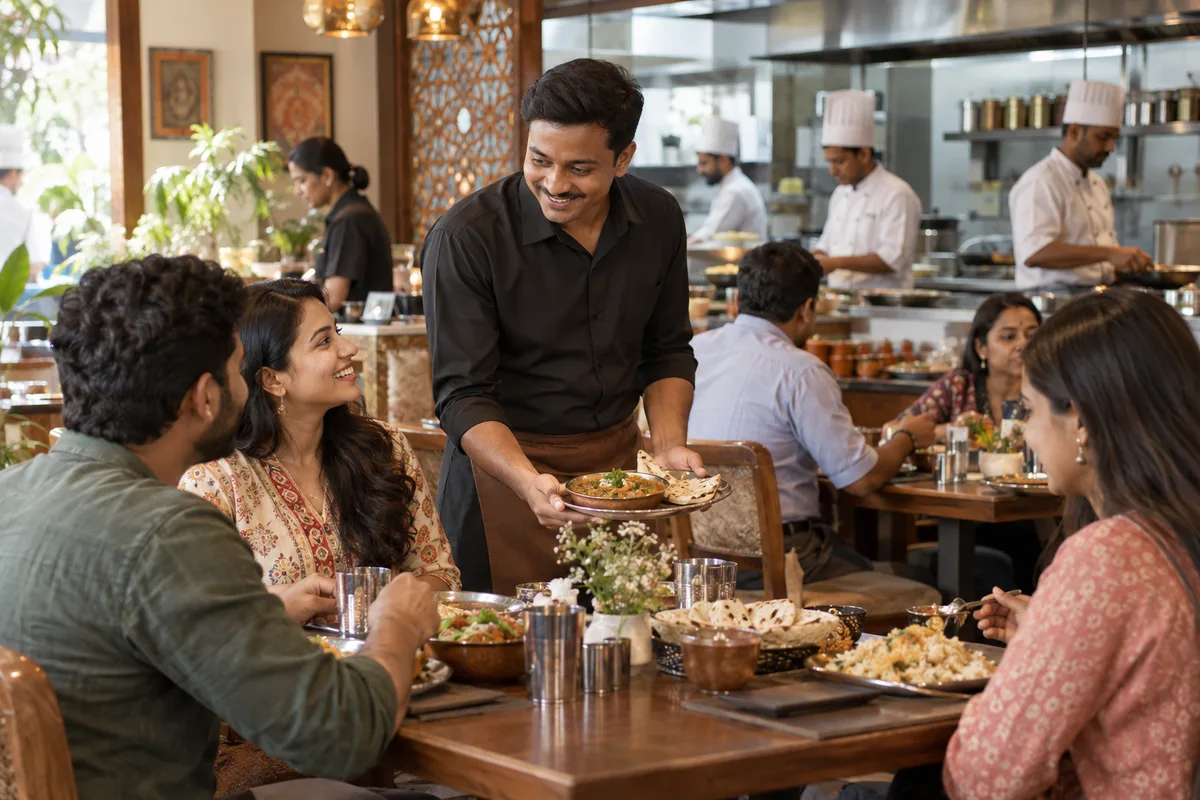
Website and landing page visual design is the artwork of a homepage or a campaign page: the layout, colour, type, imagery and button styling a visitor sees before reading a word. GullySales designs the page screens for phone and desktop from your identity and your approved wording, and hands over organised design files for your developer.
Also for restaurants
- Local SEO for restaurants
- SEO for restaurants
- Website for restaurants
- Location page and local content writing for restaurants
- Call-to-action and microcopy writing for restaurants
- SEO blog writing for restaurants
- Google Business Profile post writing for restaurants
- Meta title and description writing for restaurants
Sales and marketing for restaurants, the overview.
Last updated 14 Nov 2026. Rules for this trade differ by state and professional body, and they change. We describe restrictions in general terms, so check the current position with your own council or adviser before you publish anything.
For restaurants
Where it usually goes wrong, and what we would do.
“The visitor is standing outside, on a phone”
A guest who reaches the page is deciding about dinner, from a car or a pavement, with a thumb and a slow connection. They want the dish, the hours, the map and a way to book without pinching or hunting. We draw the phone screen first and decide what appears before any scrolling, and the desktop page follows from it.
“A menu as a heavy image is hard to read”
Some restaurants upload a photographed menu card that is slow to load, cannot be searched and cannot be read without zooming. We design a readable menu section with dish names, short lines and prices in real text, grouped the way guests order, with a place for the vegetarian and allergen marks you approve. The look of that section is the work.
“One page, one action”
A page for a party booking asks for a call or a request, a page for catering asks for a quotation, and a page for a new branch asks for a table. When all three share one page, the button loses its meaning. We rank what the visitor must see and draw one clear action for each page, with the other routes kept quiet.
“Photographs decide the first second”
A hero image of an empty room or a stock plate tells the guest nothing about your food. We direct which photograph leads, how it is cropped for a tall phone and a wide screen, and what lies over it. Where your photographs are weak, we say which to reshoot. Rights to every image remain your responsibility.
What we do
What we deliver for restaurants.
The work available for this need. We agree the deliverables and responsibilities for your engagement in writing.
Page layout in wireframe form
A low-detail arrangement of the sections in the order a guest reads them, such as the dish, the set menu, the room, the address and the booking action, with the single action marked. You approve the order and the emphasis before colour or photographs are applied.
Result: You approve the order of sections before any colour is chosen.
Visual direction for the page
A short statement of the look: how your colours, type and photographs are used on this page, and what is left out. It is checked against your signboard, your printed menu and your profile, so the page sits with the rest of your material.
Result: The page looks like the same restaurant as the board outside.
Phone and desktop screen designs
Finished artwork for the page at both screen sizes, with the reading order, button placement and photograph crops considered separately. You review the phone screen first, because that is where a guest meets the page.
Result: The phone screen shows the dish and the action before any scrolling.
Menu and booking component styles
The look of the menu list, the dish card, the price line, the booking form, the call button and the map block, in normal, hover and error states. Your developer builds the same element the same way every time, from one set of styles.
Result: A form error and a sold-out dish are drawn, so nothing is invented during the build.
Photograph and icon direction
A note of which photographs go where, what each must show and how each is cropped, plus the icons for hours, parking, vegetarian options and payment. Where you supply the images, we prepare them for the layout. Licences stay with you.
Result: Each image slot states what it must show and how it is cropped.
Annotated design file for your developer
An organised file with named layers, spacing notes, colour and type values, exported images and notes on how each element behaves on a small screen. We walk your developer through it, and it can be handed on if the developer changes.
Result: A developer can build the page without asking what a spacing value means.
How the result is measured
- Enquiries or bookings that start from the page's main button
- Visitors who scroll past the first screen on a phone
- Time your developer spends asking design questions
Recorded as a baseline before work starts, so every later report has an honest comparison.
Who it is for
This is written for these restaurants.
- Family restaurants and multi-cuisine dining
- South Indian vegetarian restaurants and darshinis
- Biryani, kebab and non-vegetarian specialists
- Regional cuisine restaurants
- Casual dining and bar restaurants
- Quick service restaurants and food courts
- Cloud kitchens and delivery-only brands
- Office canteens and food service operators
- Multi-outlet restaurant groups
Before you decide
Agree the work. Know how to judge it.
Website and landing page visual design for restaurants: use these checks to prepare, choose the scope, and review what changes.
Bring the right evidence
List the pages that support a buying decision and the actions visitors must complete. Keep examples of failed forms, unclear product information, and questions your team answers repeatedly.
Make the scope clear
Agree the page list, content ownership, integrations, and who controls the domain and hosting. Include redirects and existing search traffic in a redesign brief, before changing addresses.
Check the work in use
Complete a real enquiry journey on a phone and a laptop. Check that the confirmation appears, the enquiry reaches the right person, and tracking records the action once.
Know when to change course
If visitors can enquire but the team does not follow up, start with the sales handover. A larger website will not resolve that delay.
These are discussion points, not a fixed package. GullySales confirms the deliverables, responsibilities, fee, and term in writing after reading your brief and speaking with you.
Before we start
What to have ready before the work starts.
The records, access and decisions this work needs from restaurants. Anything missing is noted in the written scope, with who will supply it.
- The wording for the page, approved
- Headline, dish names, set menu lines, button labels and the address, signed off by whoever owns the claims. The layout is drawn around real words, so placeholder text means a second round. Without wording we draw structure only and say so.
- Dish and room photographs you may use
- The photographs you intend to use, with proof you may use them, or a plan to take new ones. A layout built around a photograph you cannot use has to be redrawn. We prepare images for the layout but do not clear rights.
- Your logo, colours and menu type
- Logo files, colour values, typefaces and any style note from the signboard or the printed menu. A page drawn without them invents a look that must be redrawn when someone sees it beside the card on the table.
- The one action the page should prompt
- Decide whether the guest should call, book a table, request a party quotation or order direct. Pages that ask for four things get a flat hierarchy. We cannot rank the artwork until your team has chosen one.
- One reviewer who speaks for the business
- A named person who gathers comments from the owner, the manager and the front of house and returns one list. Scattered feedback pulls the hierarchy in different directions and delays approval of the phone screen.
How it works
How the website and landing page visual design work runs
The work itself, in order. How an engagement starts, from your brief to a written scope, is set out on our method page.
- 1
Read the brief and the words
We read your brief, your identity files and the approved wording for the page. We ask where guests arrive from, whether a map search, an advertisement or a message, which phone they hold, and which one action the page exists to prompt.
- 2
Agree the hierarchy with the owner
Before any colour, we rank what the guest must see: the dish, the proof of the room, the action and the reassurance about hours and parking. You sign off the ranking, because it decides every size and position that follows in the layout.
- 3
Draw the phone wireframe, then the desktop
We lay out the sections in order for the phone first, then the desktop. The wireframe shows where each block of wording sits, how much room a long dish name needs, and where the button lives, so the words and the layout are matched.
- 4
Apply colour, type and photographs
We apply your colours, type and photographs, then show the page at both sizes and explain the choices. This keeps your comments on how a hungry guest sees it, and not only on personal taste about a shade of red or a plate.
- 5
Review with the people who take bookings
You collect comments from the people who answer the phone and the messages, and send them as one list. We adjust the artwork as the written scope sets out, and we flag any change that would disturb the hierarchy you approved.
- 6
Hand over and read it against your figures
We organise the design file, export the assets and walk your developer through it. Once the page is built, your booking and call figures recorded before the work are the reference for reading it, and no result is promised.
Where this fits
Three pieces of sales work, in this order.
This work sits inside sales process design, at stage 1, prospecting and lead generation. The audit comes before it, and sales management keeps it running.
Step 1
Sales audit
Find where deals are being lost and what to fix first.
Start here if you cannot say where orders are lost.
Step 2 · you are here
Sales process design
One written way to sell, from first enquiry to repeat order.
Start here if every salesperson sells differently.
Step 3
Sales management
A target, a review routine and someone who owns the number.
Start here if the team has targets and no routine.
FAQ
Questions owners ask before they call.
Not here? More answers, or ask on WhatsApp.
Does a restaurant need a landing page and a website?
Will you design the menu section?
Can the page include online ordering or table booking?
Do you take the photographs for the page?
Who approves allergen and offer wording?
What if we later add a second outlet?
How much does it cost?
How long is the contract?
How soon will we see results?
Who will actually do the work?
From the blog
Further reading for restaurants.
 6 min read · 21 Sept 2026Radio advertising vs social media advertising: where should your money go?Radio reaches a driver who cannot click. Social reaches a thumb that can. One buys a name people remember, the other buys the enquiry itself.
 7 min read · 21 Sept 2026Local audience targeting strategyThree people are local to you: the one who lives near, the one who works near and the one searching near. The settings that reach each differ.
 6 min read · 21 Sept 2026Influencer marketing vs social media advertising: which one should you pay for?An ad is a message you control, shown to people you choose. A creator post is a recommendation you do not control, shown to people who chose the creator.
More for restaurants
Related work to consider.
Closest to this: search and visibility
- Local SEO for restaurants
- SEO for restaurants
- Website for restaurants
- Location page and local content writing for restaurants
- Call-to-action and microcopy writing for restaurants
- SEO blog writing for restaurants
- Google Business Profile post writing for restaurants
- Meta title and description writing for restaurants
Also for restaurants
Or start from the overview: sales and marketing for restaurants.
Your next practical step
Tell us what you are trying to grow, and we will read it before we call.
Eight short steps, mostly taps. Skip anything you would rather answer on the call.