Printing businesses · Website
Give a buyer a printing website that shows the paper, the finish and the next step.
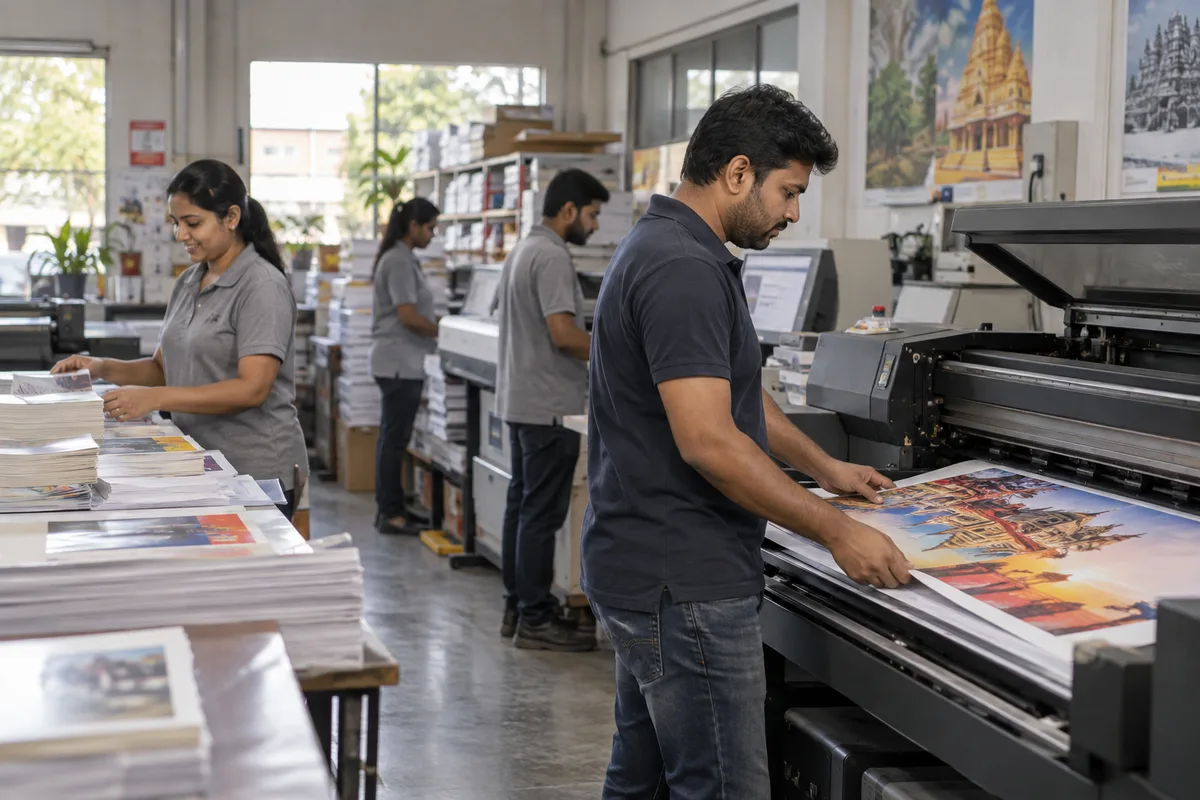
A website for a print shop is the place a buyer judges the quality of your work before they send a file or visit. GullySales works on pages that show real jobs by type, answer the first questions a buyer asks and make a quote request easy to send.
Scope, fee, reporting and term are agreed in writing after we have read your brief and spoken to you.
What website means
A website is the page a customer lands on after searching, clicking an advert or scanning a code, and it decides whether they call or leave. GullySales builds and maintains sites that load quickly, explain the offer plainly and make the enquiry form or phone number easy to find.
Also for printing businesses
- SEO for printing businesses
- Local SEO for printing businesses
- PPC ads for printing businesses
- Lead generation for printing businesses
- Digital marketing for printing businesses
- Reputation management for printing businesses
- Branding and identity for printing businesses
- Social media marketing for printing businesses
Sales and marketing for printing businesses, the overview.
Last updated 5 Oct 2026.
For printing businesses
Where it usually goes wrong, and what we would do.
“A buyer cannot feel paper through a screen”
A packaging or invitation buyer is choosing stock, lamination and foil by touch in the shop. On a website, close photographs, labelled finishes and an offer to send a physical sample have to do that work for you.
“One generic services page hides the jobs you do best”
A single page listing cards, flyers, boxes, banners and labels gives a searcher no reason to trust the shop for any one of them. A separate page for each job type, with its own samples, lets a buyer see you handle their kind of work.
“File requirements decide whether a job starts”
A buyer who does not know the accepted file format, bleed or colour mode sends a file that fails and the job stalls. A plain guide on the site, with a template to download, saves both sides a round of correction.
“A quote form that asks too much loses the enquiry”
A buyer under a deadline will not complete a long form. Job type, quantity, size and a phone number are enough to begin; the rest can be settled on a call or in a WhatsApp thread once the buyer is talking to you.
What we do
What we deliver for printing businesses.
Every deliverable, what it covers for you, and the result it is there to produce. Nothing here is an extra.
Job-type pages with real samples
Separate pages for business cards, stationery, packaging, labels, signage and invitations, each showing photographs of your own completed work and the stocks and finishes you offer.
Result: A buyer can find the page for their job and see proof of it.
Sample photography direction
A simple shot list for photographing finished jobs in daylight, showing the surface, edge and finish, with file naming so images can be matched to the right page.
Result: Your best work appears on the site rather than staying on a shelf.
A file-preparation guide
A page stating accepted formats, bleed, resolution and colour mode in plain words, with a downloadable template for common sizes.
Result: Buyers send usable files at the first attempt.
A short quote request form
A form asking job type, quantity, size and a contact number, with a WhatsApp button beside it, routed to the person who quotes.
Result: Each request reaches a named person and arrives with the basics filled.
Local and B2B listing consistency
The shop name, address, phone and job types on the site made to match the Google profile and the IndiaMART listing.
Result: A buyer sees the same details wherever they find you.
Mobile checks
Pages tested on a phone for readable text, tappable call and WhatsApp buttons and photographs that load without delay.
Result: A buyer on a phone can reach you in one tap.
How the result is measured
- Page load time
- Bounce rate
- Enquiries from the website
Recorded as a baseline before work starts, so every later report has an honest comparison.
Searches your buyers type
The pages a print shop site needs for the jobs buyers search by name.
- visiting card printing in your city
- A page with paper weights, finishes and a sample photograph, plus the file format you accept and a quote form that asks only for quantity and the artwork.
- corrugated box printing manufacturer
- A packaging page that states the board, the print method, the die charge, the minimum run and a link to the file preparation guide.
- wedding card printing with foil
- A wedding page with real cards, the foil and emboss options, and the details a family should send to ask for a rate.
- flex banner printing and installation
- A signage page with the materials, sizes and finishing, plus whether you install and how artwork is approved.
- sticker label printing on roll
- A label page that states the materials, the roll direction and the die options, with finished rolls from your own press.
- how to send artwork for printing
- A file requirements page that names formats, bleed and colour mode, so the job starts without a back and forth by chat.
Who it is for
This is written for these printing businesses.
- Commercial offset printing businesses
- Digital and quick-print shops
- Packaging and label printing businesses
- Large format and signage printers
- Wedding and event stationery printers
- Corporate stationery and print suppliers
- Textile and garment printing businesses
- Print-on-demand and personalised merchandise printers
Not for
It is not the right fit if.
- The press cannot photograph its work, and a site of stock images would look like every other shop.
- Nobody can update rates and job pages as the shop adds machines, so the site would describe a shop that no longer exists.
How it works
How the website work runs
The work itself, in order. How an engagement starts, from your brief to a written scope, is set out on our method page.
- 1
Confirm structure and content
We agree the page list, what each page must answer, and who supplies the text and photographs, before any design starts.
- 2
Design the templates
The home page, a service page, a location page and the enquiry page are designed first, on phone and desktop, and shown to you.
- 3
Build and test
The site is built and checked on real phones and the common browsers. Every form, call button and WhatsApp link is tested end to end.
- 4
Load real content
Actual copy, images and information replace placeholders. Pages are read through once by you, since you spot wrong details we cannot.
- 5
Check before launch
Tracking, page titles, the sitemap and the privacy page are checked on the staging site. If an old site exists, its addresses are mapped so old links still land somewhere.
- 6
Launch and hand over access
The site goes live and we record the domain, hosting, content login and analytics in your name. The first live enquiry is traced to confirm tracking works.
Where this fits
Three pieces of sales work, in this order.
This work sits inside sales process design, at stage 1, prospecting and lead generation. The audit comes before it, and sales management keeps it running.
Step 1
Sales audit
Find where deals are being lost and what to fix first.
Start here if you cannot say where orders are lost.
Step 2 · you are here
Sales process design
One written way to sell, from first enquiry to repeat order.
Start here if every salesperson sells differently.
Step 3
Sales management
A target, a review routine and someone who owns the number.
Start here if the team has targets and no routine.
FAQ
Questions owners ask before they call.
Not here? More answers, or ask on WhatsApp.
Should a print shop sell online, or only take enquiries?
Do we need to show prices on the website?
How do we show work for a client who wants privacy?
How should the site handle a buyer who sends artwork on chat?
How long is the contract?
How soon will we see results?
Who will actually do the work?
What do you need from us?
What if we are not happy with the work?
From the blog
Further reading for printing businesses.
 6 min read · 18 Aug 2026Why your business is growing but profit is notRevenue rising while profit stays flat usually means discounts, the wrong customers or an uncalculated acquisition cost, all visible in your own records.
 7 min read · 18 Aug 2026How to get printing orders that repeat every monthPrinting orders come from local searches, corporate and institutional buyers who reorder, and fast quotes. Pick the jobs you print best, show prices, and chase the reorder before the customer runs out.
 6 min read · 8 Apr 2025How to create a sales process for a small businessA sales process is the stages a real order already passes through, each with what must be true before a deal can leave it, reviewed weekly.
More for printing businesses
Everything else we would do for you.
Closest to this: search and visibility
Also for printing businesses
Or start from the overview: sales and marketing for printing businesses.
Your next practical step
Tell us what you are trying to grow, and we will read it before we call.
Eight short steps, mostly taps. Skip anything you would rather answer on the call.