AR, VR and XR development studios · Social media
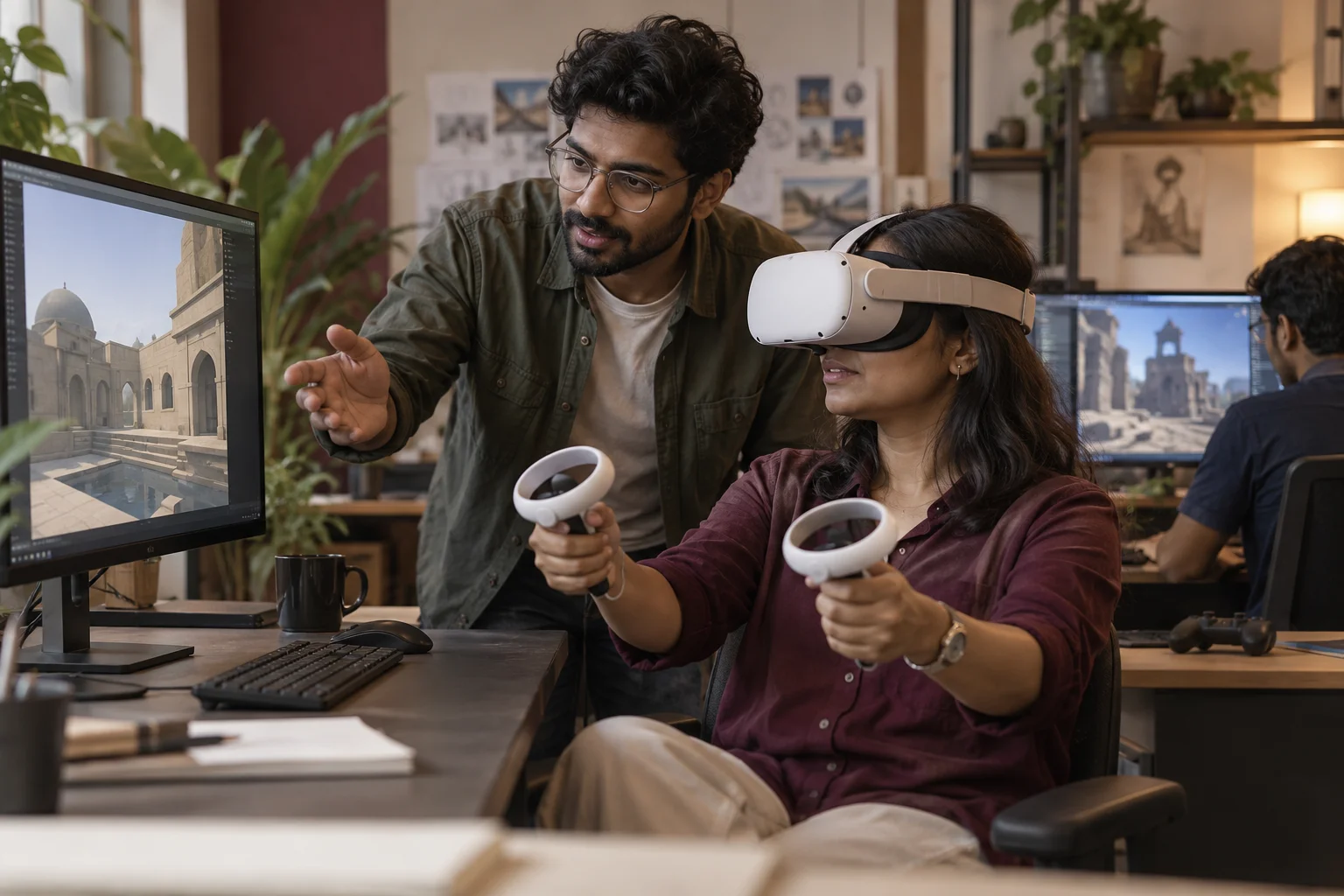
Post the visitor's face inside the headset, not only the render.
Social media for an immersive studio means showing how people react to an experience, on the channels where agency heads, developers and educators look. GullySales plans posts and short films around builds you may show, with the reaction and the device in frame.
Scope, fee, reporting and term are agreed in writing after we have read your brief and spoken to you.
What social media means
Social media is the ongoing posting your business does on platforms such as Instagram, Facebook and LinkedIn to stay visible to customers and prospects between purchases. GullySales plans a posting calendar, writes captions and designs the images so the page looks active and answers what a visitor would ask.
Also for AR, VR and XR development studios
- Content marketing for AR, VR and XR studios
- Lead generation for AR, VR and XR studios
- SEO for AR, VR and XR studios
- Buyer persona for AR, VR and XR studios
- CRM for AR, VR and XR studios
- Follow-up systems for AR, VR and XR studios
- WhatsApp marketing for AR, VR and XR studios
- Digital marketing for AR, VR and XR studios
Sales and marketing for AR, VR and XR development studios, the overview.
Last updated 22 Oct 2026.
For AR, VR and XR development studios
Where it usually goes wrong, and what we would do.
“A render proves the artist, a reaction proves the product”
A polished render shows skill. A short clip of a visitor in a sales gallery pointing at the balcony view shows that the experience works. Posts that include the person and the device are believed more readily.
“Phone-based filters can be tried from the post”
A filter that opens from a link lets the viewer test it at once. A headset scene cannot. Posting the two differently, with a try-now link for one and a through-the-lens clip for the other, fits how each is bought.
“Agencies and clients follow different people”
Agency creative leads watch for craft and event results. A college dean watches for classroom use. A single mixed feed pleases neither, so topics should be grouped by the reader.
“Permission is easy to forget”
Showing a client's event, a school's students or a developer's unreleased project needs consent first. A post pulled later after a complaint costs more than a day spent asking.
What we do
What we deliver for AR, VR and XR development studios.
Every deliverable, what it covers for you, and the result it is there to produce. Nothing here is an extra.
Content plan by buyer
Post themes for agency leads, developers, educators and trainers, each with the device and the setting shown.
Result: Each audience has its own run of posts.
Through-the-lens clip set
Short vertical clips recorded as the user sees the scene, with a text line naming the device.
Result: A viewer sees the experience and learns the device in one clip.
Visitor reaction clips
Clips of consenting visitors at demos and expos, with a short caption on what they were doing.
Result: Posts show real use, with consent on file.
Try-now filter posts
Posts that link to a phone-based filter a viewer can open at once, with a note on the supported phones.
Result: A viewer tries the build from the feed.
Consent log
A record of what each client or institution allowed the studio to show, kept beside the post list.
Result: No post goes out without a matching permission.
Caption and comment replies
Standard replies for questions on devices, price enquiries and partnership messages, with the next step set.
Result: Every question on a post has an answer on record.
How the result is measured
- Posts published
- Engagement rate
- Enquiries from social profiles
Recorded as a baseline before work starts, so every later report has an honest comparison.
Posts and pieces to plan
Plan posts around people inside the experience, not only the render.
- A visitor's reaction inside the headset
- A clip of the person and the view side by side, posted only with their written consent, which shows a buyer how the experience feels.
- A filter anyone can open
- A post with the link to try an AR filter on a phone, so an agency creative can test it from the feed without a meeting.
- The model before and after optimisation
- A short clip showing a heavy scene made to run on a phone, explaining the trade-off in plain words for a technical buyer.
- A classroom session
- A photograph or clip from a school or college trial, shared with the institution's permission and with no student faces shown.
- A device test bench
- A photograph of the headsets and phones you test on, which tells a procurement manager the build was checked on real devices.
Who it is for
This is written for these AR, VR and XR development studios.
- Property developers and real estate marketing teams
- Brand and advertising agencies running launches
- Schools, colleges and ed-tech companies
- Corporate training and skilling teams
- Museums, tourism boards and heritage bodies
- Retail and showroom brands with a product to place at home
- Industrial and manufacturing firms needing equipment walkthroughs
- Event and exhibition organisers
Not for
It is not the right fit if.
- You have no consent from the people who appear in your clips, and posting a visitor inside a headset without it would damage trust
- Your best client work is under confidentiality and you have nothing else to show, so posts would repeat the same render
- You cannot reply to agency comments the same day, and an unanswered question under a post looks like a studio that has gone quiet
How it works
How the social media work runs
The work itself, in order. How an engagement starts, from your brief to a written scope, is set out on our method page.
- 1
Confirm audience, platforms and access
We note which platforms your buyers use and check that the pages sit under your own business accounts, with you as owner and us as added roles.
- 2
Review the current presence
We read the existing pages, the posts that drew replies and the gaps in posting.
- 3
Build the calendar
Themes, formats and dates are set out for your approval, with space for offers and news.
- 4
Create, approve and publish
Posts are made, approved by you and scheduled. Replies to the public are handled in your voice.
- 5
Record enquiries and adjust
Enquiries are logged against the post or platform where they began, and the mix changes to follow what brings them.
Where this fits
Three pieces of sales work, in this order.
This work sits inside sales process design, at stage 0, foundation. The audit comes before it, and sales management keeps it running.
Step 1
Sales audit
Find where deals are being lost and what to fix first.
Start here if you cannot say where orders are lost.
Step 2 · you are here
Sales process design
One written way to sell, from first enquiry to repeat order.
Start here if every salesperson sells differently.
Step 3
Sales management
A target, a review routine and someone who owns the number.
Start here if the team has targets and no routine.
FAQ
Questions owners ask before they call.
Not here? More answers, or ask on WhatsApp.
Which channel should the studio start with?
Can we post a client's project we are proud of?
Should we run paid posts?
Can we post a school trial that went well?
How much does it cost?
How long is the contract?
How soon will we see results?
Who will actually do the work?
What do you need from us?
What if we are not happy with the work?
More for AR, VR and XR development studios
Everything else we would do for you.
Closest to this: content and social
Also for AR, VR and XR development studios
Or start from the overview: sales and marketing for AR, VR and XR development studios.
Your next practical step
Tell us what you are trying to grow, and we will read it before we call.
Eight short steps, mostly taps. Skip anything you would rather answer on the call.