Payment and fintech companies · App store optimisation
Make your payment app's store page say who runs it and what it costs.
For a payment or fintech company, app store optimisation is the work of making the Google Play and App Store listing findable, accurate and trusted by the merchant, payer or borrower who is deciding whether to install. GullySales works on the search phrases, the listing text, the screenshots and the review handling, with your compliance head approving every line.
Scope, fee, reporting and term are agreed in writing after we have read your brief and spoken to you.
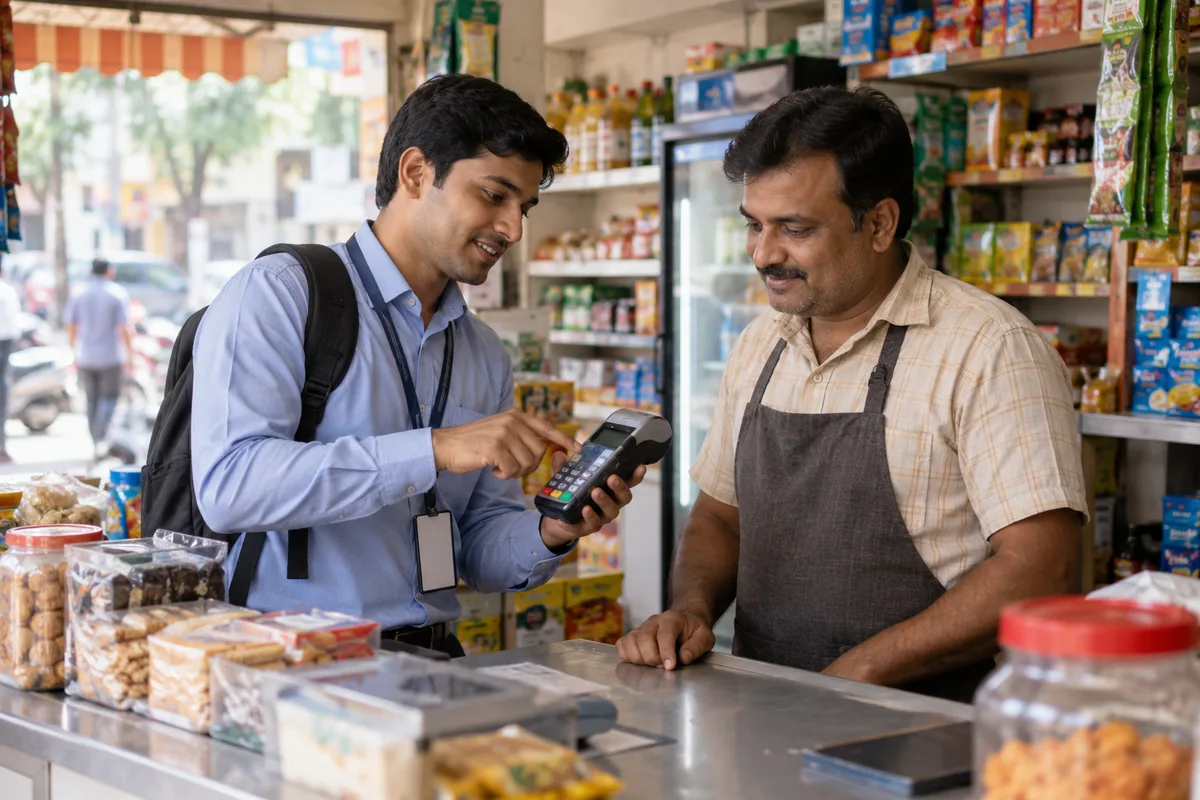
What app store optimisation means
App store optimisation is writing the title, description and screenshots of your app so it appears when someone searches the Play Store or App Store for what your app does. GullySales researches the search terms buyers use and rewrites the listing so it earns downloads instead of scrolls past.
Also for payment and fintech companies
- SEO for payment and fintech companies
- Website development for payment and fintech companies
- AEO for payment and fintech companies
- Website accessibility for payment and fintech companies
- Content marketing for payment and fintech companies
- Lead generation for payment and fintech companies
- PPC ads for payment and fintech companies
- Email marketing for payment and fintech companies
Sales and marketing for payment and fintech companies, the overview.
Last updated 14 Nov 2026. Rules for this trade differ by state and professional body, and they change. We describe restrictions in general terms, so check the current position with your own council or adviser before you publish anything.
For payment and fintech companies
Where it usually goes wrong, and what we would do.
“A stranger judges the listing before the product”
A merchant or borrower who has never heard of you reads the store page before anything else. They look for the name of the regulated entity, the partner bank or lender, and whether charges are stated plainly. A listing that hides these reads like the apps the buyer has been warned about. Trust is built in the first screen, and the text and screenshots carry it.
“Reviews are complaints about money”
A one-star review on a payment app is rarely about design. It describes a payment stuck, a settlement held or a refund not received. Left unanswered, it reads as a promise broken, and the next installer sees it first. A reply route is needed that sends the person to support without asking them to post account details in public.
“Two stores, two sets of rules”
Google Play and the App Store have different fields, limits and policies for financial apps, and both change. Copy written once and pasted into both can break a field limit or miss a required disclosure. Each listing needs its own text, and the person publishing needs to check the store's current rules at the time, not rely on last time's habit.
“The rating prompt can punish the wrong moment”
If the app asks for a rating right after a failed payment, the review will say so. Asking for a rating at a point of success is permitted through the store's own prompt, but the app must not filter people by how happy they are. The trigger has to be written with exclusions for errors, and your developer must build it as specified.
What we do
What we deliver for payment and fintech companies.
The work available for this need. We agree the deliverables and responsibilities for your engagement in writing.
Store baseline and phrase map
A record of listing views, installs, ratings and search positions for the phrases that matter, kept separately for each store. Phrases are checked against what the app really does, so a merchant app is not listed for a lending search it cannot serve.
Result: You can see the starting figures per store and the phrase each page is meant to answer.
Store-specific listing text
Separate text for the title, subtitle, short and long descriptions and keyword fields on each store. It names the regulated entity and partner where the policy requires, and states charges in plain words. Your compliance head approves each line before publication.
Result: Each field carries approved text, with the approver's sign-off recorded.
Screenshot sequence and preview plan
A planned order of screens and captions built around real tasks, such as taking a first payment, reading a settlement report or checking a repayment schedule. The screens are compared with the live app so no listing shows a feature that has been removed.
Result: Every caption matches a screen in the current version of the app.
Icon and screenshot test variants
Defined variants for the store's own listing tests, with one change per test and the measure noted before it starts. If traffic is too low to judge, the test is recorded as inconclusive and no winner is named.
Result: Each test shows what changed, what was measured and what the data allows you to conclude.
Campaign-specific store pages
Custom listings, where your account allows them, for separate audiences such as shop owners, online sellers and individual borrowers. Each advertisement leads to a page that describes the same product, with the same disclosures.
Result: An advertisement and its landing store page describe the same feature in the same words.
Review reply guide and rating prompt specification
A guide for answering reviews about failed payments, holds and charges without exposing account details, and a written trigger for the rating prompt, with error and dispute screens excluded. Your developer receives the specification.
Result: Your support team holds an approved reply for each recurring complaint, and the developer holds the trigger.
How the result is measured
- Store ranking
- Download rate
- Conversion from listing view to download
Recorded as a baseline before work starts, so every later report has an honest comparison.
Who it is for
This is written for these payment and fintech companies.
- Payment gateways and aggregators for online sellers
- UPI and QR providers with soundboxes and card machines for shops
- Prepaid wallet and card issuers working with a partner bank
- Digital lenders and buy-now-pay-later apps working with a bank or NBFC
- B2B payment, vendor payout and payables platforms
- Payroll, expense and corporate card tools for companies
- Cross-border payment and remittance platforms
- Neobanks and current account apps for startups and small businesses
Before you decide
Agree the work. Know how to judge it.
App store optimisation for payment and fintech companies: use these checks to prepare, choose the scope, and review what changes.
Bring the right evidence
Choose the intended user and the first useful action inside the app. Bring the store listing, acquisition reports, and evidence of where new users stop before completing that action.
Make the scope clear
Separate listing improvements from paid acquisition and changes inside the product. Agree which team can update screenshots, descriptions, tracking, and the onboarding experience.
Check the work in use
Follow the journey from the listing through installation and first use on supported devices. Compare completed useful actions with installs so acquisition is judged beyond the download.
Know when to change course
If people install but cannot reach the app's useful outcome, fix that experience before expanding promotion. More downloads will bring more people to the same obstacle.
These are discussion points, not a fixed package. GullySales confirms the deliverables, responsibilities, fee, and term in writing after reading your brief and speaking with you.
Before we start
What to have ready before the work starts.
The records, access and decisions this work needs from payment and fintech companies. Anything missing is noted in the written scope, with who will supply it.
- Store account permissions
- Access to both store consoles at a level that allows listing edits and reading performance records. Without it, we cannot read the baseline, and every change has to be pasted by someone in your team with no record of what it did.
- Regulated entity and partner details
- The exact legal name of the licensed entity, and the partner bank or lender where there is one, in the form your compliance head has approved. Without it, the listing either omits what a cautious buyer is looking for or states it in a form that is not approved.
- A compliance approver
- A named person who reads each line of listing text and the screenshot captions and can say yes or no. If nobody has this role, listing changes wait in a queue, or are published without a check, which is worse.
- A developer for the prompt and fixes
- An engineer who can build the rating prompt trigger and read the crash and error reports from the store consoles. Without one, the rating specification stays a document and the product faults behind bad reviews stay where they are.
- Current support route and reply owner
- A support channel that can resolve a held settlement or a stuck payment, and a person who answers store reviews. If the route does not exist, a public reply can only repeat an apology, and the next reader sees an unresolved complaint.
How it works
How the app store optimisation work runs
The work itself, in order. How an engagement starts, from your brief to a written scope, is set out on our method page.
- 1
Agree stores, audiences and access
We list which stores and which products are in scope: a merchant app, a payer app or a lending app. Account access is arranged through the permissions each store offers, not by sharing the owner login. You name who approves text and who in engineering owns app changes.
- 2
Record the baseline and set priority
Store records give the starting position. We decide whether search wording, listing conversion or review handling needs attention first. Faults in the product itself, such as a crash during checkout, are listed separately for your engineers, since better copy cannot fix them.
- 3
Write and approve with compliance
GullySales drafts the listing for each store and your compliance head reviews it. Statements about fees, approval, speed of settlement or credit are held to what your regulated documents allow. Anything the compliance head will not approve is removed instead of softened.
- 4
Publish and hand the prompt to engineering
Approved text moves to the relevant console, published by the person who holds the login. The rating prompt specification goes to your developer with an agreed owner for building it and an agreed check before release. We do not hold your store credentials.
- 5
Test one change at a time
We isolate a single change, such as a first screenshot, and use the store's available testing tools. Where there is too little traffic to read the result, we say so. A listing test is not a verdict until the figures can carry it.
- 6
Read results and set the next change
Results are set against the baseline and the next change is agreed with you. Recurring complaints in reviews become a fix list for product and support, because a polished listing over an unresolved settlement problem only brings in more unhappy reviews.
Where this fits
Three pieces of sales work, in this order.
This work sits inside sales process design, at stage 1, prospecting and lead generation. The audit comes before it, and sales management keeps it running.
Step 1
Sales audit
Find where deals are being lost and what to fix first.
Start here if you cannot say where orders are lost.
Step 2 · you are here
Sales process design
One written way to sell, from first enquiry to repeat order.
Start here if every salesperson sells differently.
Step 3
Sales management
A target, a review routine and someone who owns the number.
Start here if the team has targets and no routine.
FAQ
Questions owners ask before they call.
Not here? More answers, or ask on WhatsApp.
Can you promise our app a higher rank?
Do we need to name our bank or lender on the store page?
How should we answer a one-star review about a held payment?
Can we ask satisfied users to leave a rating?
Do we need separate text for Google Play and the App Store?
What if the app has bugs that cause bad reviews?
How much does it cost?
How long is the contract?
How soon will we see results?
Who will actually do the work?
From the blog
Further reading for payment and fintech companies.
 5 min read · 6 Oct 2026Why signed-up merchants never take a live paymentMerchants stall between signup and a first live payment at four points: KYC paperwork, site review, integration and silence. Find yours and clear it.
 6 min read · 6 Oct 2026How buyers decide which lender or adviser to trustPeople choosing a bank, lender, adviser or insurer start with a name someone gave them, then check you before calling. See what they look for.
More for payment and fintech companies
Related work to consider.
Closest to this: search and visibility
Also for payment and fintech companies
Or start from the overview: sales and marketing for payment and fintech companies.
Your next practical step
Tell us what you are trying to grow, and we will read it before we call.
Eight short steps, mostly taps. Skip anything you would rather answer on the call.