Computer and mobile repair shops · Website
A site that tells a phone owner what you fix and how to reach you now.
A website for a repair shop is a short set of pages that tells a person with a broken device what you fix, what decides the price and how to reach you. GullySales plans the pages around the repairs people search for and the single action you want from each visitor.
Scope, fee, reporting and term are agreed in writing after we have read your brief and spoken to you.
What website means
A website is the page a customer lands on after searching, clicking an advert or scanning a code, and it decides whether they call or leave. GullySales builds and maintains sites that load quickly, explain the offer plainly and make the enquiry form or phone number easy to find.
Also for computer and mobile repair shops
- SEO for computer and mobile repair shops
- Local SEO for computer and mobile repair shops
- PPC for computer and mobile repair shops
- Reputation management for computer and mobile repair shops
- Content marketing for computer and mobile repair shops
- Social media marketing for computer and mobile repair shops
- WhatsApp marketing for computer and mobile repair shops
- Referral marketing for computer and mobile repair shops
Sales and marketing for computer and mobile repair shops, the overview.
Last updated 11 Oct 2026.
For computer and mobile repair shops
Where it usually goes wrong, and what we would do.
“The visitor is on a phone with a broken phone”
They may have a cracked screen, low battery or a borrowed handset. A heavy site that loads slowly or hides the number fails them at once. The call and WhatsApp buttons must be the first thing within reach. A short page that opens at once is worth more than a clever one.
“A page per repair beats a page of services”
A single services list cannot rank for screen replacement and laptop keyboard repair together. A page for each fault names the model, explains the price and gives the visitor a reason to ring. Each page can then match the words a person types for that fault.
“Price lists go stale, price factors do not”
A fixed list is wrong by the next part change. A page that states what decides the figure, the model, the part grade and the damage, stays correct and avoids arguments at the counter. The visitor leaves knowing what to bring and what might change the figure.
“Trust is shown with the shop, not about it”
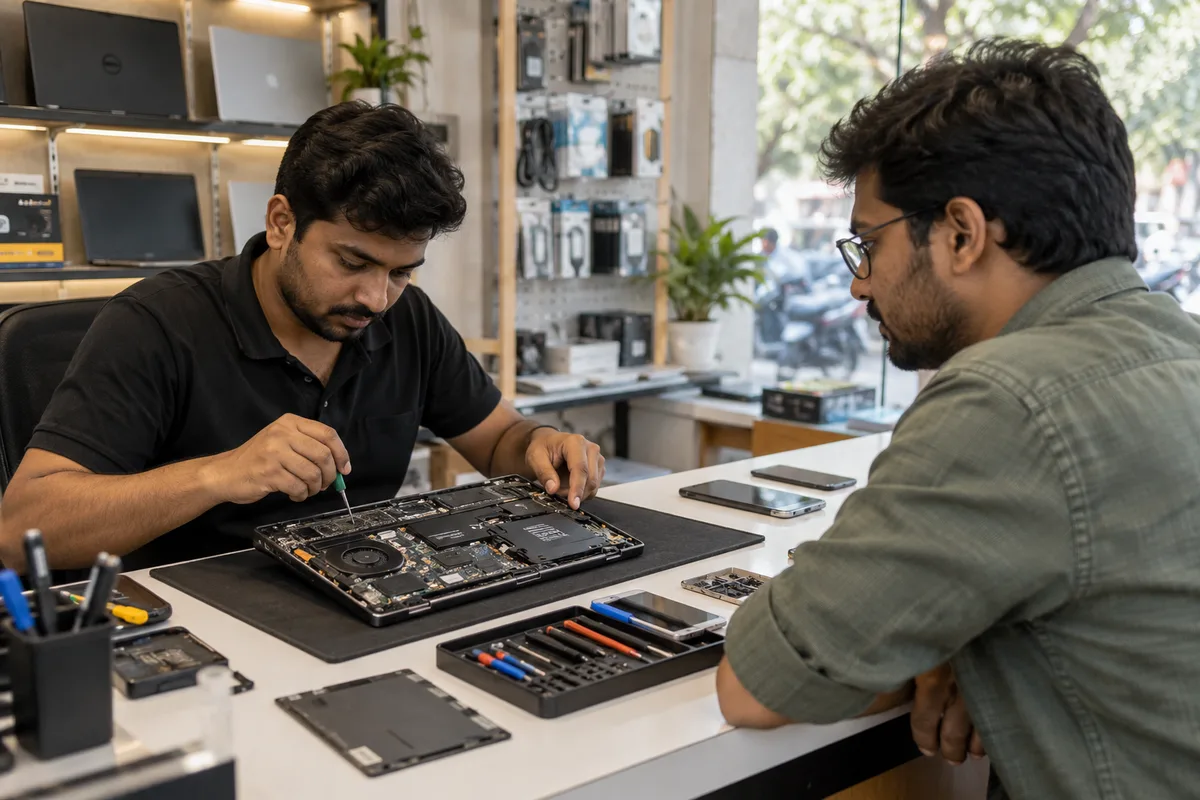
Photographs of the counter, the workbench and the staff doing real work answer the worry about handing over a device. A stock image of a smiling technician answers nothing. Real photographs of your own bench, with customer devices kept out of frame, build more trust.
What we do
What we deliver for computer and mobile repair shops.
Every deliverable, what it covers for you, and the result it is there to produce. Nothing here is an extra.
A page plan from the repairs you sell
The list of pages, one per repair and one per buyer type, agreed before anything is built.
Result: You see the full structure on paper first.
Repair pages with the deciding factors
Each page covers the fault, what affects the price, how data is handled and how to book.
Result: A visitor knows what to expect before ringing.
Call and WhatsApp buttons within reach
Buttons set to stay visible on a phone, with the number and a prefilled message.
Result: Contacting the shop takes one tap.
A location page with directions and hours
The address, landmark, timings and a map link, matching the Business Profile exactly.
Result: A customer finds the shop and the shutter open.
An office support page
A separate page for AMC and bulk repair that asks for the number of computers and a contact.
Result: Business buyers have their own route.
Source tracking on every enquiry
Each button and form recorded separately, so the job card shows the website as the source.
Result: You can tell what the site brought in.
How the result is measured
- Page load time
- Bounce rate
- Enquiries from the website
Recorded as a baseline before work starts, so every later report has an honest comparison.
Searches your buyers type
The pages a phone owner opens to see what you fix and how to reach you.
- [model] repair
- A page for the model you repair most, with the faults, the part types you use and a call button above the fold.
- battery replacement for [brand] phone
- A repair page with what decides the cost, such as the part and the model. A customer reads it to decide whether to walk in.
- laptop motherboard or charging port repair
- A page for serious laptop faults, with what the technician checks first. It shows that the shop does board-level work.
- shop address and opening hours
- A location page with a map, landmark and hours. A phone owner with a dead phone needs to find the door.
- office computer support
- A page for business customers with how you work, the response you agree and a form. It keeps office enquiries from getting lost.
Who it is for
This is written for these computer and mobile repair shops.
- Mobile phone repair shops
- Laptop and desktop repair shops
- Chip-level and motherboard specialists
- Data recovery services
- Computer AMC providers for offices
- Mobile accessory and repair shops
- Apple and premium device repairers
- Repair kiosks in malls and markets
Not for
It is not the right fit if.
- You have not decided which repairs the shop wants more of, so the site would list everything and sell nothing.
- Nobody can update a page when a part price or service changes, and an old page would mislead callers.
How it works
How the website work runs
The work itself, in order. How an engagement starts, from your brief to a written scope, is set out on our method page.
- 1
Confirm structure and content
We agree the page list, what each page must answer, and who supplies the text and photographs, before any design starts.
- 2
Design the templates
The home page, a service page, a location page and the enquiry page are designed first, on phone and desktop, and shown to you.
- 3
Build and test
The site is built and checked on real phones and the common browsers. Every form, call button and WhatsApp link is tested end to end.
- 4
Load real content
Actual copy, images and information replace placeholders. Pages are read through once by you, since you spot wrong details we cannot.
- 5
Check before launch
Tracking, page titles, the sitemap and the privacy page are checked on the staging site. If an old site exists, its addresses are mapped so old links still land somewhere.
- 6
Launch and hand over access
The site goes live and we record the domain, hosting, content login and analytics in your name. The first live enquiry is traced to confirm tracking works.
Where this fits
Three pieces of sales work, in this order.
This work sits inside sales process design, at stage 1, prospecting and lead generation. The audit comes before it, and sales management keeps it running.
Step 1
Sales audit
Find where deals are being lost and what to fix first.
Start here if you cannot say where orders are lost.
Step 2 · you are here
Sales process design
One written way to sell, from first enquiry to repeat order.
Start here if every salesperson sells differently.
Step 3
Sales management
A target, a review routine and someone who owns the number.
Start here if the team has targets and no routine.
FAQ
Questions owners ask before they call.
Not here? More answers, or ask on WhatsApp.
Do we need a website if we have a good map listing?
Should the site show prices?
Can we run the site ourselves afterwards?
Can the site promise a repair time or a price?
How long is the contract?
How soon will we see results?
Who will actually do the work?
What do you need from us?
What if we are not happy with the work?
More for computer and mobile repair shops
Everything else we would do for you.
Closest to this: search and visibility
Also for computer and mobile repair shops
- PPC for computer and mobile repair shops
- Reputation management for computer and mobile repair shops
- Content marketing for computer and mobile repair shops
- Social media marketing for computer and mobile repair shops
- WhatsApp marketing for computer and mobile repair shops
- Referral marketing for computer and mobile repair shops
Or start from the overview: sales and marketing for computer and mobile repair shops.
Your next practical step
Tell us what you are trying to grow, and we will read it before we call.
Eight short steps, mostly taps. Skip anything you would rather answer on the call.