Computer and mobile repair shops · Social media
Post the repair that was done today and the one question every customer asks.
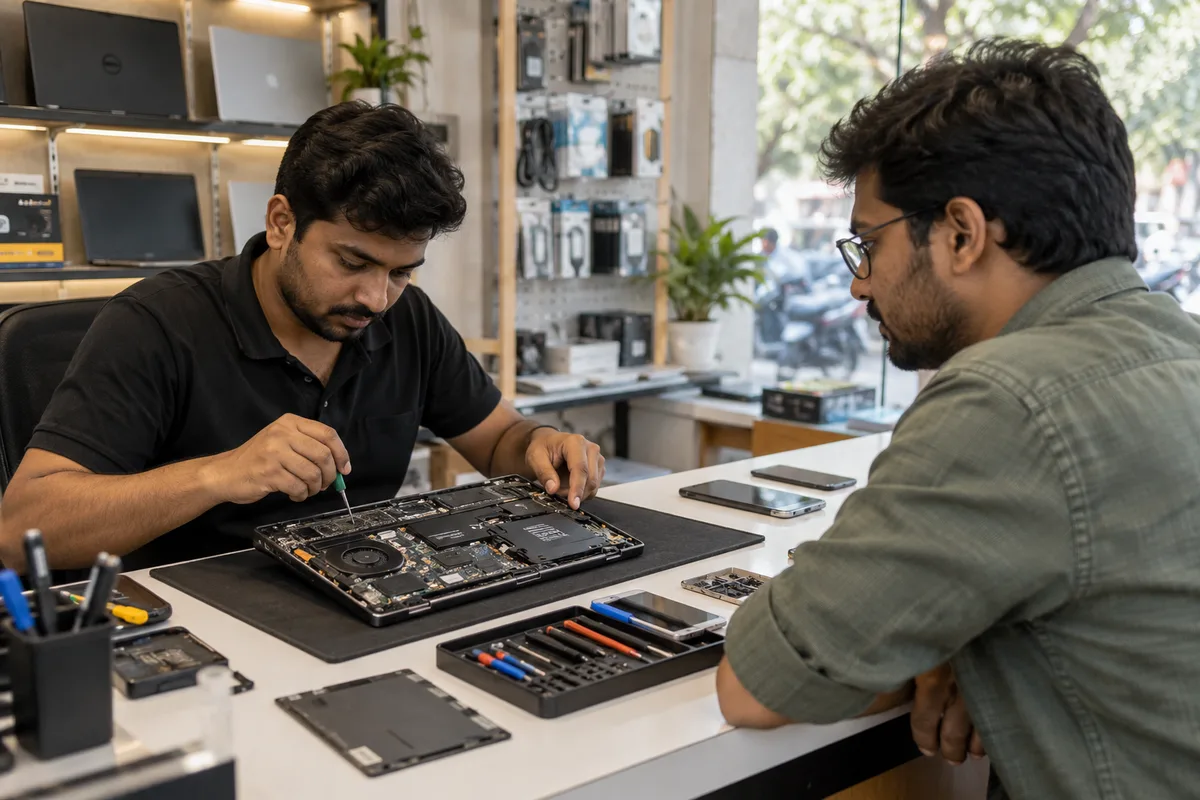
Social media marketing for a computer or mobile repair shop is regular posting on Instagram, Facebook and a WhatsApp status that shows the shop at work. The aim is a call or a visit, not likes. GullySales plans the posts from your real repairs and the counter's questions, and tells you what not to post.
Scope, fee, reporting and term are agreed in writing after we have read your brief and spoken to you.
What social media means
Social media is the ongoing posting your business does on platforms such as Instagram, Facebook and LinkedIn to stay visible to customers and prospects between purchases. GullySales plans a posting calendar, writes captions and designs the images so the page looks active and answers what a visitor would ask.
Also for computer and mobile repair shops
- Content marketing for computer and mobile repair shops
- SEO for computer and mobile repair shops
- Local SEO for computer and mobile repair shops
- PPC for computer and mobile repair shops
- Reputation management for computer and mobile repair shops
- WhatsApp marketing for computer and mobile repair shops
- Referral marketing for computer and mobile repair shops
- Follow-up systems for computer and mobile repair shops
Sales and marketing for computer and mobile repair shops, the overview.
Last updated 11 Oct 2026.
For computer and mobile repair shops
Where it usually goes wrong, and what we would do.
“Only offers are posted”
A feed of discount posters tells nobody why the shop is trusted. People scroll past without remembering the name.
“Customer devices appear without permission”
A photograph of a cracked screen shows a lock screen or a message. This breaches the customer's privacy and trust.
“Comments and messages go unanswered”
A person asks the price of a screen under a post and gets silence. The person messages the next shop on the list.
What we do
What we deliver for computer and mobile repair shops.
Every deliverable, what it covers for you, and the result it is there to produce. Nothing here is an extra.
Post plan from real repairs
A set of post ideas drawn from the repairs and questions of a normal day at the shop.
Result: The feed shows the shop at work.
Photograph and reel guide for the counter
Simple rules for taking clear photographs of a bench and a repair without any customer data.
Result: Your staff can post without risk.
One action per post
A single request on each post: call, send a message or visit.
Result: A viewer knows what to do.
Comment and message reply routine
A rule for who replies, in which hours and with which words.
Result: A question under a post is answered.
Festival and offer calendar
A short list of times when an offer makes sense, such as new phone launches and exam season.
Result: Offers are timed to real demand.
How the result is measured
- Posts published
- Engagement rate
- Enquiries from social profiles
Recorded as a baseline before work starts, so every later report has an honest comparison.
Platform for this buyer
Where a repair shop's customers are, what to post and what to leave out.
- Instagram and Reels for the young phone user
- Show a short screen replacement or a cleaned charging port. The viewer wants proof of skill. End with the area and a WhatsApp link, not a long caption.
- Facebook page for the neighbourhood
- Post the shop timings, a holiday notice and a useful tip. Local groups and parents read this. Keep the address and phone on the page.
- WhatsApp status for existing customers
- Post a ready-device photograph without any private detail, a short offer or a closed day. Past customers see it without any ad spend.
- YouTube for how-to answers
- Record a short answer to a common question, such as what to do after water damage. It brings search traffic over time. Put the shop's area in the description.
- What not to post
- Never post a customer's device, screen content or name without permission. Avoid posts that criticise a rival shop or promise repairs you cannot do.
Who it is for
This is written for these computer and mobile repair shops.
- Mobile phone repair shops
- Laptop and desktop repair shops
- Chip-level and motherboard specialists
- Data recovery services
- Computer AMC providers for offices
- Mobile accessory and repair shops
- Apple and premium device repairers
- Repair kiosks in malls and markets
Not for
It is not the right fit if.
- You have no permission habit for showing customer devices, so a post could expose a customer's photographs or messages.
- Nobody will answer comments and messages, and unanswered posts reflect poorly on the shop.
How it works
How the social media work runs
The work itself, in order. How an engagement starts, from your brief to a written scope, is set out on our method page.
- 1
Confirm audience, platforms and access
We note which platforms your buyers use and check that the pages sit under your own business accounts, with you as owner and us as added roles.
- 2
Review the current presence
We read the existing pages, the posts that drew replies and the gaps in posting.
- 3
Build the calendar
Themes, formats and dates are set out for your approval, with space for offers and news.
- 4
Create, approve and publish
Posts are made, approved by you and scheduled. Replies to the public are handled in your voice.
- 5
Record enquiries and adjust
Enquiries are logged against the post or platform where they began, and the mix changes to follow what brings them.
Where this fits
Three pieces of sales work, in this order.
This work sits inside sales process design, at stage 0, foundation. The audit comes before it, and sales management keeps it running.
Step 1
Sales audit
Find where deals are being lost and what to fix first.
Start here if you cannot say where orders are lost.
Step 2 · you are here
Sales process design
One written way to sell, from first enquiry to repeat order.
Start here if every salesperson sells differently.
Step 3
Sales management
A target, a review routine and someone who owns the number.
Start here if the team has targets and no routine.
FAQ
Questions owners ask before they call.
Not here? More answers, or ask on WhatsApp.
Who should be on camera?
How should we handle comments and messages?
Should we post during festivals?
Can we show customers' devices as proof?
How much does it cost?
How long is the contract?
How soon will we see results?
Who will actually do the work?
What do you need from us?
What if we are not happy with the work?
More for computer and mobile repair shops
Everything else we would do for you.
Closest to this: content and social
Also for computer and mobile repair shops
Or start from the overview: sales and marketing for computer and mobile repair shops.
Your next practical step
Tell us what you are trying to grow, and we will read it before we call.
Eight short steps, mostly taps. Skip anything you would rather answer on the call.