Computer and mobile repair shops · Follow up systems
Tell the customer the device is ready before they have to ask, and call the one who never collected it.
A follow-up system for a computer or mobile repair shop is the routine of messages and calls from the first enquiry to the collected device and the next visit. Most repair shops lose business to silence, not to price. GullySales writes the routine, names who owns each step and sets up the record.
Scope, fee, reporting and term are agreed in writing after we have read your brief and spoken to you.
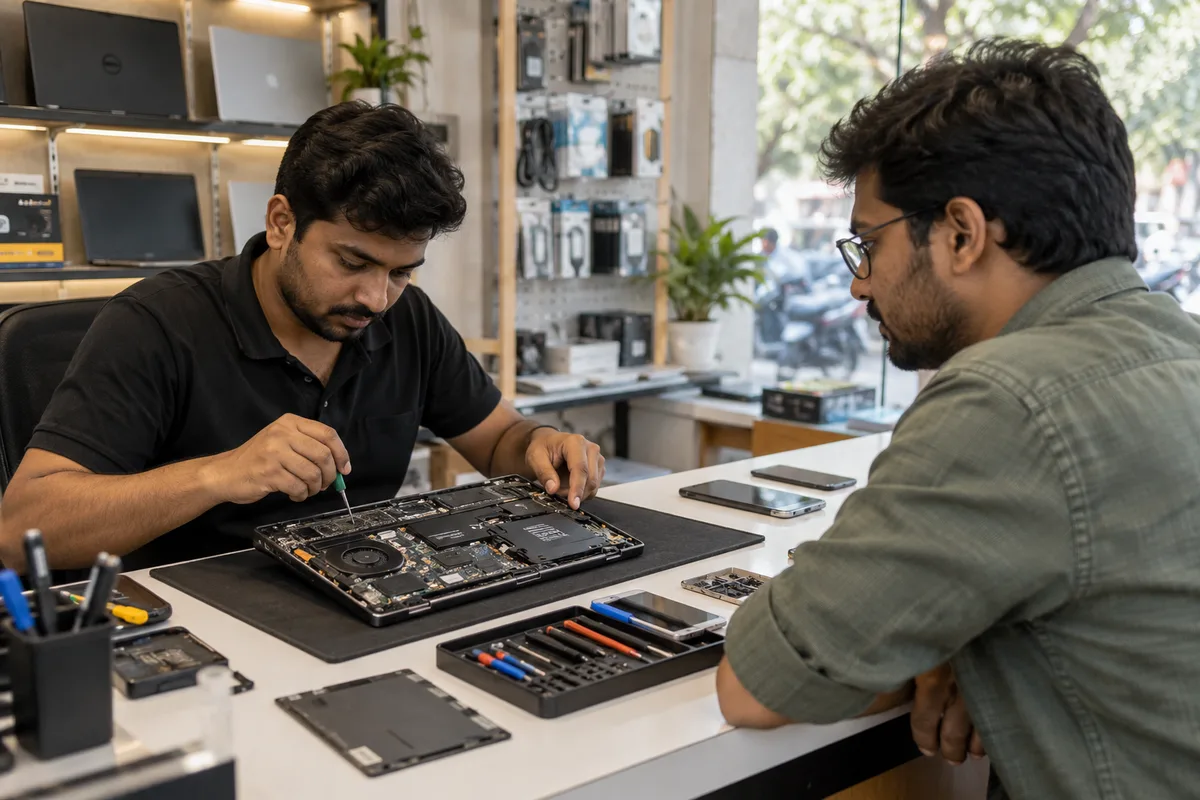
What follow up systems means
A follow-up system is the set routine for calling, messaging or emailing an enquiry more than once, since most buyers do not decide on the first conversation. GullySales sets the number and timing of follow-ups so an undecided buyer keeps hearing from you until they decide either way.
Also for computer and mobile repair shops
- Lead generation for repair shops
- CRM for repair shops
- SEO for computer and mobile repair shops
- Local SEO for computer and mobile repair shops
- PPC for computer and mobile repair shops
- Reputation management for computer and mobile repair shops
- Content marketing for computer and mobile repair shops
- Social media marketing for computer and mobile repair shops
Sales and marketing for computer and mobile repair shops, the overview.
Last updated 11 Oct 2026.
For computer and mobile repair shops
Where it usually goes wrong, and what we would do.
“The enquiry is answered once”
A person asks about a screen price, gets a number and hears nothing more. The next shop rang back and got the repair.
“Devices wait on the shelf”
A phone is ready for days and the customer forgets. The shop's shelf fills with uncollected devices and cash is stuck in parts.
“The repaired customer never hears again”
The customer might need a new battery in a year or send a friend. Nobody asks.
What we do
What we deliver for computer and mobile repair shops.
Every deliverable, what it covers for you, and the result it is there to produce. Nothing here is an extra.
Follow-up routine on one page
A short written routine for each stage, with who does it and the words to use.
Result: Every device and enquiry has an owner.
Job card with status
A job card that shows received, quoted, in repair, ready and collected.
Result: A customer can be told the status at once.
Message templates
Plain WhatsApp messages for the quote follow-up, the ready device, the uncollected device and the check-back.
Result: Staff do not need to invent each message.
Uncollected device rule
A rule for when a ready device gets a second call, a third and a written notice, as the job card terms allow.
Result: Shelf space and parts money are freed.
Return visit reminder
A note of when a battery or a laptop service may be due again, with a gentle message.
Result: Past customers are invited back.
How the result is measured
- Follow-up completion rate
- Average number of follow-ups before close
- Enquiries closed after repeat follow-up
Recorded as a baseline before work starts, so every later report has an honest comparison.
Follow-up routine for this trade
The situations a repair shop meets, and who follows up, on which channel and with what words.
- Enquiry not yet answered
- The counter staff reply on WhatsApp the same day with what is needed to quote: model and fault. Record the enquiry and the time. A customer who asked and heard nothing is gone.
- Quote sent, no reply
- A technician or the owner rings or messages once the next day. Ask whether the customer has any question about the parts or the warranty. Record the answer.
- Visited but did not leave the device
- Message the customer that evening thanking them and saying the quote stands. Ask if they want a visit by a technician or a pickup. Note the reason given.
- I will think about it
- Ask what they are weighing, such as price or time, and offer a clear next step. Write down the date to call again and keep it.
- Device ready and after the job
- Send a message the moment it is ready. After a few days, ask how the repair is holding. Record the answer, and ask for a review if it is happy.
- Lapsed customers
- Look through old job cards and message people whose repairs are old, such as a battery change from a year ago. Keep it short and offer a free check. Stop after one reply of no.
Who it is for
This is written for these computer and mobile repair shops.
- Mobile phone repair shops
- Laptop and desktop repair shops
- Chip-level and motherboard specialists
- Data recovery services
- Computer AMC providers for offices
- Mobile accessory and repair shops
- Apple and premium device repairers
- Repair kiosks in malls and markets
Not for
It is not the right fit if.
- Your job cards have no status or phone number, so a reminder would have nothing to work from.
- Devices pile up uncollected because repairs are wrong or overpriced, and reminders would only chase unhappy customers.
How it works
How the follow up systems work runs
The work itself, in order. How an engagement starts, from your brief to a written scope, is set out on our method page.
- 1
Measure today's reply time
From your recent enquiries, we set the time each arrived against its first reply, using the call log, chats, form entries and portal panel. We also count the follow-ups each one got.
- 2
Agree targets and the sequence
We set reply targets and the follow-up sequence with your team, based on its real hours and workload.
- 3
Write the templates and first-call questions
The first reply, the quote follow-up and the last attempt are written in your voice and loaded as quick replies. The first-call questions are agreed with your best salesperson.
- 4
Set ownership, tasks and alerts
Named owners, cover for leave and CRM or sheet tasks go live. App alerts, such as IndiaMART's, are switched on for the right phones.
- 5
Track and adjust
Reply time and follow-up completion are reported against the baseline, and the routine is changed where it is not kept. How often you are reported to is agreed in writing.
Where this fits
Three pieces of sales work, in this order.
This work sits inside sales process design, at stage 2, qualification. The audit comes before it, and sales management keeps it running.
Step 1
Sales audit
Find where deals are being lost and what to fix first.
Start here if you cannot say where orders are lost.
Step 2 · you are here
Sales process design
One written way to sell, from first enquiry to repeat order.
Start here if every salesperson sells differently.
Step 3
Sales management
A target, a review routine and someone who owns the number.
Start here if the team has targets and no routine.
FAQ
Questions owners ask before they call.
Not here? More answers, or ask on WhatsApp.
Won't too many follow-ups annoy people?
Who owns the follow-up?
Can WhatsApp do the follow-up?
What do we do with a customer who says no?
How much does it cost?
How long is the contract?
How soon will we see results?
Who will actually do the work?
What do you need from us?
What if we are not happy with the work?
More for computer and mobile repair shops
Everything else we would do for you.
Closest to this: leads and follow-up
Also for computer and mobile repair shops
Or start from the overview: sales and marketing for computer and mobile repair shops.
Your next practical step
Tell us what you are trying to grow, and we will read it before we call.
Eight short steps, mostly taps. Skip anything you would rather answer on the call.