Home and office automation · Video marketing
Show the tap that dims a whole room, since a photograph cannot show it.
Video marketing for home and office automation means short demonstrations of a system actually working: lighting scenes changing, curtains closing, a boardroom panel controlling a whole room. This is a product that is genuinely hard to describe in a photograph. GullySales produces this from real installations.
Scope, fee, reporting and term are agreed in writing after we have read your brief and spoken to you.
What video marketing means
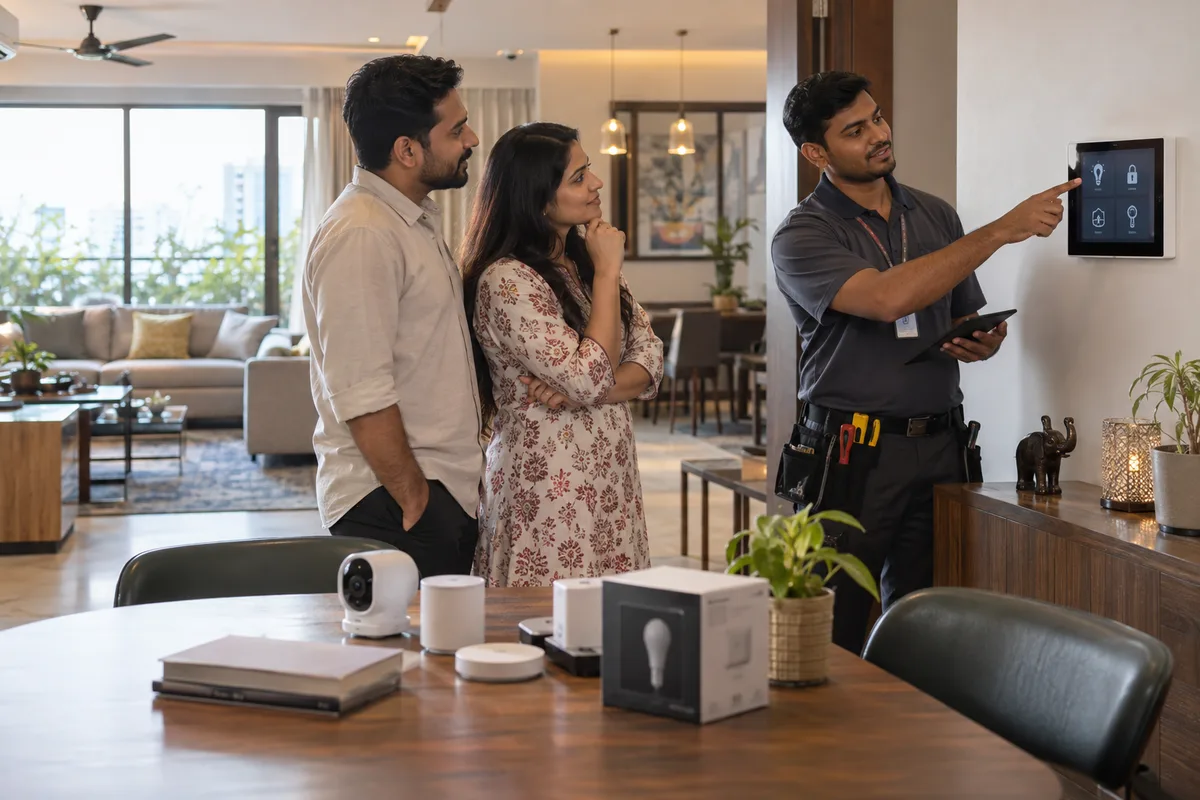
Video marketing is using short videos, such as a product demonstration or a customer walkthrough, to explain your business on social media, your website and Google listings. GullySales scripts, shoots and edits these videos around the questions buyers ask before they visit or call.
Also for home and office automation
- Content marketing for home and office automation companies
- Social media for home and office automation companies
- Branding for home and office automation companies
- Buyer journey for home and office automation companies
- Buyer personas for home and office automation companies
- Digital marketing for home and office automation companies
- Lead generation for home and office automation companies
- PPC for home and office automation companies
Sales and marketing for home and office automation, the overview.
Last updated 5 Oct 2026.
For home and office automation
Where it usually goes wrong, and what we would do.
“Automation is a motion product, not a static one”
A photograph of a smart panel says almost nothing about what it does. A ten-second video of a room's lighting and curtains responding to one tap communicates the entire value instantly.
“Showroom demonstration videos extend the in-person experience”
A buyer who cannot visit the showroom immediately can still see a close approximation of the experience through a well-shot demonstration video sent directly to them.
“Client testimonial video needs to focus on daily use, not the sales pitch”
A homeowner describing how they actually use the system every day is more convincing to a new buyer than a description of the buying experience.
What we do
What we deliver for home and office automation.
Every deliverable, what it covers for you, and the result it is there to produce. Nothing here is an extra.
Demonstration videos of systems in use
Short videos of lighting scenes, curtains and boardroom panels actually working, shot from real installations.
Result: A buyer understands the value in seconds instead of reading about it.
Remote showroom demonstration video
A well-shot video sent directly to a buyer who cannot visit the showroom immediately, approximating the in-person experience.
Result: A distant buyer still gets a real sense of the demonstration.
Client testimonial video on daily use
A homeowner or office client describing how they actually use the system day to day, not the buying experience.
Result: A new buyer hears proof from someone using it, not just selling it.
Sales-meeting ready video library
The same demonstration videos organised so a salesperson can pull up the right one during a site visit or showroom meeting.
Result: A live meeting gets the same persuasive material online visitors see.
How the result is measured
- Views
- Watch time
- Enquiries traced to video
Recorded as a baseline before work starts, so every later report has an honest comparison.
Videos worth making
Film each scene working in a finished home or boardroom, so an architect can forward it to a client.
- The good night scene in a villa
- Film one tap on the keypad or app switching off the lights, closing the motorised curtains and arming the alarm. Send architects one short link they can pass straight to a client.
- A boardroom from off to ready
- Show a meeting room coming on: display on, lights dimmed, blinds down, video call connected. Share it with office admin and facility heads before a showroom demo.
- The architect walks a finished project
- Ask the architect or interior designer to walk through a completed home and say why they specified automation, with the owner's consent. Post it from their page and yours.
- What happens on installation day
- Film the wiring, the panel and the handover session with the family, answering the process question buyers ask. Put it on the website page about installation and after-sales support.
- An AMC service visit
- Show a technician checking the controller, updating the app and testing sensors on a maintenance call. Send it to clients before their AMC renewal so they see what the contract covers.
- Gate and CCTV from the phone
- Record the gate opening from a phone and the camera feed on screen, with any private footage blurred. Use it for security-minded buyers and in builders' apartment brochures.
Who it is for
This is written for these home and office automation.
- Residential smart-home integrators
- Office and boardroom automation specialists
- Villa and apartment builder tie-up specialists
- Security and CCTV integration specialists
- Home theatre and AV specialists
- Motorised curtain and gate automation specialists
Not for
It is not the right fit if.
- You have no finished home you can film with the client's permission, so the video would be a showroom tour that every dealer offers.
- Nobody can say which brands you will name, and a video that shows a device you do not sell misleads a buyer.
- You plan to film inside a client's house without covering the security layout, which exposes the occupants.
How it works
How the video marketing work runs
The work itself, in order. How an engagement starts, from your brief to a written scope, is set out on our method page.
- 1
Plan the distribution
We agree where each video will live and what a viewer should do next, before a shoot is booked.
- 2
Script and shot list
A short script and shot list are written. For a hospital or clinic we flag claims that medical advertising rules do not allow.
- 3
Clear permissions
Releases are signed, locations agreed, and music chosen with its licence in hand. This is done before the camera is switched on.
- 4
Film on location
Filming runs to the shot list at your premises, with a short list of extra shots to cover the edits.
- 5
Edit for each place
The footage is cut into the shapes agreed at planning, with captions added and the call to action placed at the end.
- 6
Publish and track
Videos go live where planned. Views and enquiries are tracked by video against the baseline recorded before work began.
Where this fits
Three pieces of sales work, in this order.
This work sits inside sales process design, at stage 0, foundation. The audit comes before it, and sales management keeps it running.
Step 1
Sales audit
Find where deals are being lost and what to fix first.
Start here if you cannot say where orders are lost.
Step 2 · you are here
Sales process design
One written way to sell, from first enquiry to repeat order.
Start here if every salesperson sells differently.
Step 3
Sales management
A target, a review routine and someone who owns the number.
Start here if the team has targets and no routine.
FAQ
Questions owners ask before they call.
Not here? More answers, or ask on WhatsApp.
Do we need professional video equipment?
Can we reuse this in sales meetings, not just online?
Can we film inside a client's home without exposing their security?
Should our videos show the brands of the devices we install?
How much does it cost?
How long is the contract?
How soon will we see results?
Who will actually do the work?
What do you need from us?
What if we are not happy with the work?
From the blog
Further reading for home and office automation.
More for home and office automation
Everything else we would do for you.
Closest to this: content and social
Also for home and office automation
- Branding for home and office automation companies
- Buyer journey for home and office automation companies
- Buyer personas for home and office automation companies
- Digital marketing for home and office automation companies
- Lead generation for home and office automation companies
- PPC for home and office automation companies
Or start from the overview: sales and marketing for home and office automation.
Your next practical step
Tell us what you are trying to grow, and we will read it before we call.
Eight short steps, mostly taps. Skip anything you would rather answer on the call.