Home and office automation · Review generation
Ask at the handover walk-through, while the client is still pressing the scenes.
Review generation for an automation integrator is getting a written account of a finished project from the client who lives in it. The window is narrow and it closes when the snag list opens. GullySales sets the ask into the handover and shapes what a useful review actually says.
Scope, fee, reporting and term are agreed in writing after we have read your brief and spoken to you.
What review generation means
Review generation is the routine of asking satisfied customers to leave a Google or platform review at the moment they are happiest, rather than hoping they remember later. GullySales builds the request into your existing follow-up steps and tracks how many turn into a review.
Also for home and office automation
- Public relations for home and office automation companies
- Reputation management for home and office automation companies
- Branding for home and office automation companies
- Buyer journey for home and office automation companies
- Buyer personas for home and office automation companies
- Content marketing for home and office automation companies
- Digital marketing for home and office automation companies
- Lead generation for home and office automation companies
Sales and marketing for home and office automation, the overview.
Last updated 5 Oct 2026.
For home and office automation
Where it usually goes wrong, and what we would do.
“The handover walk-through is the only moment they will feel this”
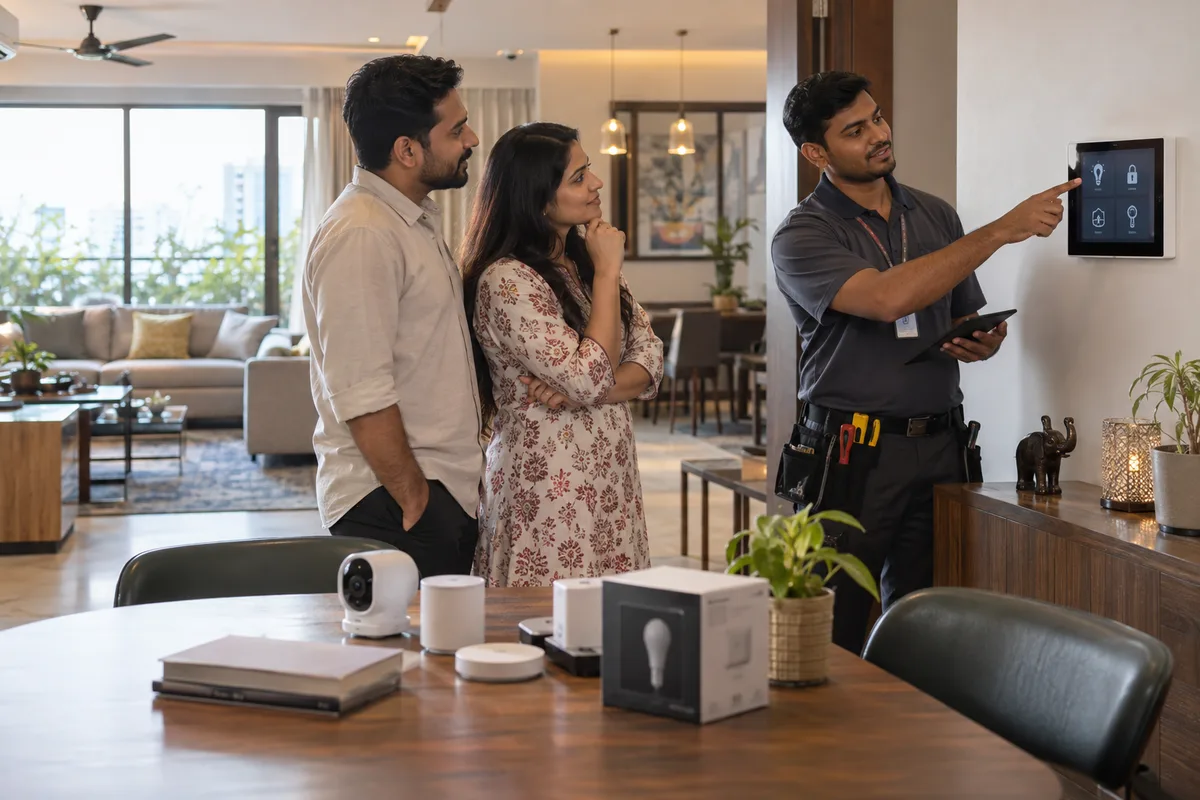
A client presses the good night scene, the whole house responds and the lights fade in the right order. That is the feeling worth capturing. A fortnight later the snag list has started and the goodwill has gone into a curtain track that sticks.
“A review that names the locality and the scope is the one that earns you work”
Lighting, curtains and a video door phone for a four-bedroom house in Sarjapur is close to what the next homeowner types. Good service, five stars, does nothing for you at all.
“Your bad reviews will come from year two”
Nobody writes an angry review about a well-run installation. They write it when a keypad died, they rang three times and nobody came. Fixing the service line lifts your rating more than asking harder ever will.
What we do
What we deliver for home and office automation.
Every deliverable, what it covers for you, and the result it is there to produce. Nothing here is an extra.
The ask written into the handover checklist
A line on the same sheet as the scene demonstration and the app handover, so the request happens while the client is still delighted with the house.
Result: You stop asking a month late, when the mood has changed.
A prompt that gets the scope into the words
Two questions given to the client, about what was installed and what changed in how the house is used, instead of an open invitation to write something.
Result: The review mentions the work a future buyer is searching for.
A private handover feedback form before the public ask
A short internal form that catches snags first, so an unhappy client raises it with your engineer rather than with the internet.
Result: Problems reach you before they reach the profile.
Reviews requested per completed project, tracked
A tally of handovers against reviews asked for and received, so a site team that has stopped asking is visible.
Result: The habit does not quietly die after the first month.
Service response tied to the rating
Complaint reviews traced back to the service calls behind them, and the delay that caused each one named.
Result: You fix the reason rather than replying to the symptom.
How the result is measured
- Reviews received
- Average rating
- Response rate to requests
Recorded as a baseline before work starts, so every later report has an honest comparison.
Asking for reviews the right way
Ask at the handover demonstration, when the lights, curtains and scenes all work on a single tap.
- A scene run by the client's own finger
- Ask after the client has run a scene themselves, such as movie mode or the good-night switch. Delight peaks when it works under their finger, not yours.
- Snag list closed, app on the phone
- Hold the ask until the snag list is cleared and the control app is on the client's phone. A pending fault makes the review about the fault.
- Scope named, address left out
- Suggest the client list the scope, such as lighting, curtains, video door phone and AV room, and the type of home, without a street or flat number.
- System named
- Let reviewers mention the system, such as KNX, Lutron or a Zigbee-based set-up. Buyers search for the system name, and the integrator is judged on it.
- A closed service call before a link
- After a repair visit, send a short message asking whether the fault is fixed. Only a customer who says yes should get a link, and never one with a fault still open.
- Boardrooms and office floors
- For a boardroom or office floor, ask the admin or IT head, and ask whether the company allows its name on public pages. Many will prefer a signed letter.
Who it is for
This is written for these home and office automation.
- Residential smart-home integrators
- Office and boardroom automation specialists
- Villa and apartment builder tie-up specialists
- Security and CCTV integration specialists
- Home theatre and AV specialists
- Motorised curtain and gate automation specialists
Not for
It is not the right fit if.
- The client is still waiting for a fix to the app or a keypad, and a request now would invite a complaint.
- Your clients are private people and would not agree to a review that names their home.
- You have no handover walk-through, so there is no moment at which to ask.
How it works
How the review generation work runs
The work itself, in order. How an engagement starts, from your brief to a written scope, is set out on our method page.
- 1
Find the moment to ask
We walk through one customer's visit with you and pick the point where the job is done and the customer is still in front of you or holding the phone.
- 2
Read your current reviews
We read every review you have, count how many were answered, and note what customers praise in their own words. We also check that your name, address and phone on Google match your signboard.
- 3
Set up the ask
Link, QR code, message wording and a short briefing for the team. We write down what staff must never do: offer a discount, choose who to ask, or post a review themselves.
- 4
Answer every review
Each incoming review is answered by the routine set down in writing. A complaint is answered by the person who can fix it, with your approval where you want it.
- 5
Count and adjust
We count how many customers were asked and how many reviewed. If few reply, we move the moment or the person asking before touching the wording.
Where this fits
Three pieces of sales work, in this order.
This work sits inside sales process design, at stage 7, after the sale. The audit comes before it, and sales management keeps it running.
Step 1
Sales audit
Find where deals are being lost and what to fix first.
Start here if you cannot say where orders are lost.
Step 2 · you are here
Sales process design
One written way to sell, from first enquiry to repeat order.
Start here if every salesperson sells differently.
Step 3
Sales management
A target, a review routine and someone who owns the number.
Start here if the team has targets and no routine.
FAQ
Questions owners ask before they call.
Not here? More answers, or ask on WhatsApp.
Our clients are private people and will not have their homes named online.
Should we ask the architect who referred us for a review?
Should we ask on Google or on Houzz and similar sites?
The client said they were too busy at handover. When do we follow up?
How much does it cost?
How long is the contract?
How soon will we see results?
Who will actually do the work?
What do you need from us?
What if we are not happy with the work?
From the blog
Further reading for home and office automation.

More for home and office automation
Everything else we would do for you.
Closest to this: reputation
Also for home and office automation
- Branding for home and office automation companies
- Buyer journey for home and office automation companies
- Buyer personas for home and office automation companies
- Content marketing for home and office automation companies
- Digital marketing for home and office automation companies
- Lead generation for home and office automation companies
Or start from the overview: sales and marketing for home and office automation.
Your next practical step
Tell us what you are trying to grow, and we will read it before we call.
Eight short steps, mostly taps. Skip anything you would rather answer on the call.