Photography and videography studios · Animated logo design
Put your studio mark on every film you deliver, and make it move well.
For a studio, an animated logo is the short piece of movement that opens or closes a film, a reel or a proof gallery and tells the viewer whose work it is. GullySales animates the logo you already own into an opening sting, an end card, a loop and a still, with a sheet for your editors.
Scope, fee, reporting and term are agreed in writing after we have read your brief and spoken to you.
What animated logo design means
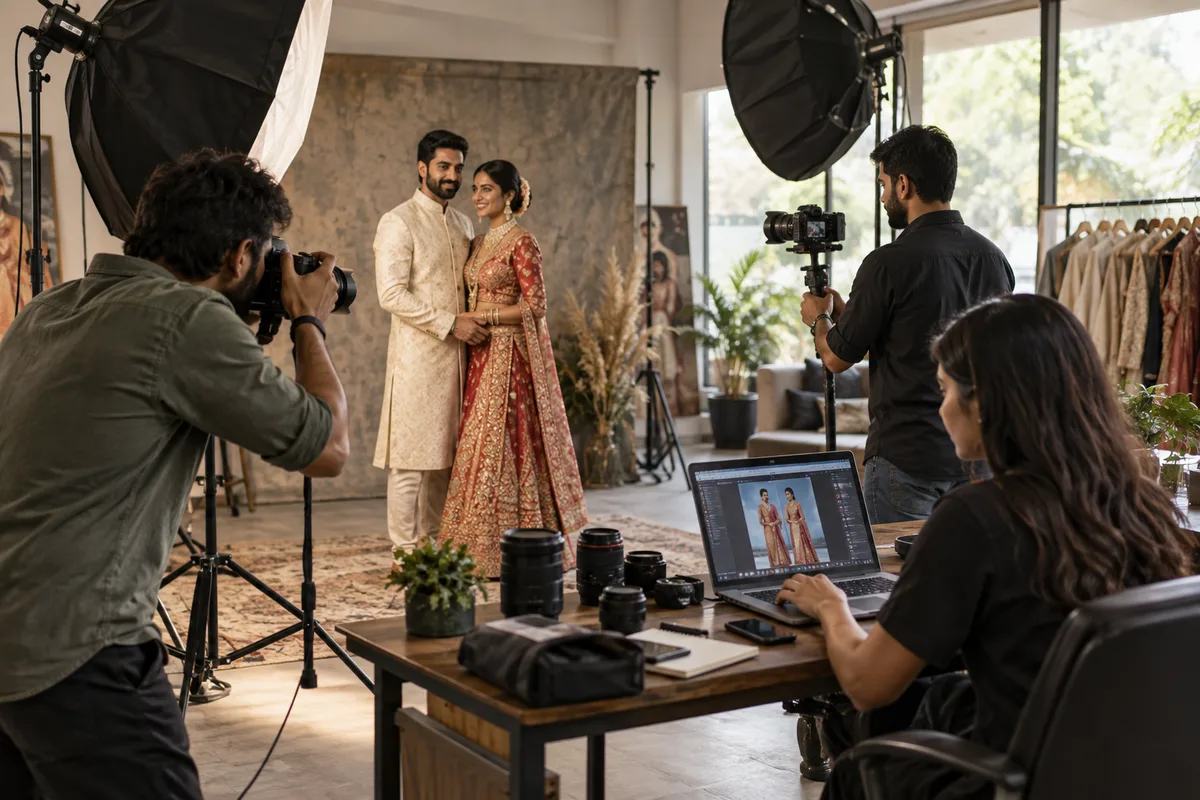
Animated logo design gives your existing logo a short, controlled movement for use at the start or end of videos, on a website, in presentations and on social profiles. GullySales plans the movement with you, produces the animated versions and a still fallback, and hands over files with usage notes. Logo creation, wider video production and sound are separate scopes.
Also for photography and videography studios
- Social media marketing for photography and videography studios
- Content marketing for photography and videography studios
- Business proposal design for photography and videography studios
- SEO for photography and videography studios
- PPC ads for photography and videography studios
- Lead generation for photography and videography studios
- Digital marketing for photography and videography studios
- Reputation management for photography and videography studios
Sales and marketing for photography and videography studios, the overview.
Last updated 14 Nov 2026.
For photography and videography studios
Where it usually goes wrong, and what we would do.
“The film travels without you”
A highlight film is sent to a couple, then forwarded to relatives, posted by guests and screened at a reception. By the second forward nobody remembers which studio made it. A closing mark that stays on screen long enough to be read keeps the studio attached to its work. Without it, the best film you deliver credits nobody, and the next person who loves it cannot find who shot it.
“The mark must not compete with the couple”
A wedding film belongs to the people in it. An opening mark that is long, loud or flashy feels like an advertisement stuck in front of a memory. The movement has to be quiet, brief and settled, so a family watching it for the first time sees their own day immediately. For a brand film the rules are different, and the sting can be a little more confident.
“The same logo has to fit several frames”
A studio posts tall reels, square pictures, wide films and slides for a showreel. A logo animated for one shape crops badly in the others. A mark that sits well on a pale wedding frame can disappear on a dark night shot. Each use needs its own version, planned beforehand, or the editor improvises and the mark looks different every time.
“Files that your editor cannot use”
A logo supplied as a flat image, or an animation with a solid background, cannot be dropped over footage cleanly. Editors then redraw it, trace it or stretch it, and the shape drifts away from the approved mark. Clean files with a transparent background and clearly named versions let any editor, in any editing tool, place it correctly in one attempt.
What we do
What we deliver for photography and videography studios.
The work available for this need. We agree the deliverables and responsibilities for your engagement in writing.
A movement brief for your films
A short written note listing where the mark will play, such as wedding highlights, event recaps, product films, reels and the proofing gallery, and the feeling it should leave. You confirm it before any frames are drawn, so the movement fits the studio and not a template.
Result: The places the mark will appear and the tone of each are written down and agreed.
A logo source check
We look at your logo files for clean shapes, separable parts and a version for dark backgrounds. If the mark exists only as a flattened picture, or the studio name and symbol cannot be separated, we report it before animating, and you decide whether to repair the files first.
Result: You receive a plain list of what in the logo files blocks or limits movement.
A storyboard of the movement
Key frames showing how the mark builds, holds and resolves, with notes on how it behaves over a bright frame and a dark one. You approve the idea on paper, so a change of mind costs a few redrawn frames and not a rebuilt animation.
Result: The idea is approved from key frames before any animation is produced.
An opening sting and a closing card
Two versions for films: a short, settled opening that does not talk over the first scene, and a closing card that holds long enough to be read. Both are built on a transparent background and tested over light, dark and busy footage from your own work.
Result: Both versions drop over real footage from your studio and stay readable.
Shape versions for reels, squares and wide films
The mark is prepared for tall, square and wide frames, with a loop for screens in the studio and online, and a calmer version for places where movement is unwelcome. Each is checked so the loop joins cleanly and the mark is legible at phone size.
Result: Every format your studio posts in has a matching, tested version of the mark.
A usage sheet and a named file list
A one-page sheet saying which file goes where, how much clear space the mark needs and what must not be done to it, with a list of every exported file. It is written for whoever edits your films, whether that is you, an assistant or a freelancer.
Result: An editor who has never seen the project can pick the right file without asking.
How the result is measured
- Videos, slides and screens that use an approved animated version
- Different logo treatments in use across your video and presentation files
- Editor questions about how to place or start the logo
Recorded as a baseline before work starts, so every later report has an honest comparison.
Who it is for
This is written for these photography and videography studios.
- Wedding photography and cinematography studios
- Event and corporate videographers
- Product and e-commerce photography studios
- Maternity and family portrait photographers
- Real estate and architecture photographers
- Drone and aerial videography services
- Multi-photographer studio chains
Before you decide
Agree the work. Know how to judge it.
Animated logo design for photography and videography studios: use these checks to prepare, choose the scope, and review what changes.
Bring the right evidence
Identify the product, process, or buyer question the images or film must explain. Gather reference material and confirm permission for people, premises, and client work that may appear.
Make the scope clear
Agree the shot list, formats, usage rights, and approval stages before production. Separate filming or photography from editing, animation, and later adaptations.
Check the work in use
Check the finished asset in the place it will be used: a mobile page, presentation, advert, or product listing. Look at crop, captions, sound, and whether the important detail remains clear.
Know when to change course
Do not present an illustration or generated scene as evidence of client work. If a claim needs a real product demonstration, obtain that evidence before using the asset to support it.
These are discussion points, not a fixed package. GullySales confirms the deliverables, responsibilities, fee, and term in writing after reading your brief and speaking with you.
Before we start
What to have ready before the work starts.
The records, access and decisions this work needs from photography and videography studios. Anything missing is noted in the written scope, with who will supply it.
- Your logo in its original files
- Bring the logo as it was first made, in an editable form if it exists, along with any version for dark backgrounds. A picture saved from social media limits what we can do. If only a flat image survives, tell us early, and we will advise on repairing it before movement is added.
- Two films that show your usual work
- Choose a wedding or event film and a commercial or product film you have delivered. We study how they open and close, how bright they are and what the editing tool expects. Without real footage, the mark may look right on a white slide and wrong over a candlelit hall.
- The editing tools you use
- Tell us which editing software, phone apps or outsourced editors handle your films. The file formats we export depend on it. A format your editor cannot open is no use, and a mark that works in one tool and fails in another causes the same trouble we are there to remove.
- A named person to approve the mark
- Name the one person who confirms the animation matches the approved logo and your rules for clear space and colour. When several partners comment separately, the movement drifts and review stalls. A single approver keeps the brief intact and lets the work move cleanly from storyboard to files.
- Your rules for music and on-screen credit
- Tell us whether your films carry a sound with the mark, and who holds the rights to any music. We animate the mark without sound unless the written scope says otherwise. Music and credit lines belong to you, and agreeing them early avoids a rebuild later.
How it works
How the animated logo design work runs
The work itself, in order. How an engagement starts, from your brief to a written scope, is set out on our method page.
- 1
Collect the logo and your recent films
We start with your logo files and two or three recent deliveries, such as a highlight film and a reel. Watching how your films open and close shows where the mark will sit, how busy the footage is and what the editing tool expects. Source files that limit the work are raised straight away.
- 2
List every place the mark will play
We write down each use: the wedding film, the event recap, the product film, the reel, the showreel, the proof gallery and the studio screen. The list decides which versions and shapes are needed, so we do not build a single clip and later find it fits half your work.
- 3
Agree the tone for couples and for brands
We settle how the movement should feel for family films and how it may differ for company work. A calm, brief mark suits a couple's film, while a brand film can carry a firmer one. You choose, and we record the decision so editors apply it consistently.
- 4
Draw key frames and approve the idea
We draw the storyboard and show how the mark behaves over your own light and dark footage. Your named approver confirms the idea, the logo's shape and its colours. Nothing is animated while the approved logo is being altered, and any change follows the written scope.
- 5
Animate, then test on real screens
The approved idea is animated and tried over actual footage, on a phone, a laptop and a larger screen. We check the timing feels settled, the loop joins cleanly and the mark stays readable on bright skies, candlelit rooms and busy venues. Rough joins are fixed here, before handover.
- 6
Hand over and review the first films
You receive each version in the agreed formats with the usage sheet, and we show your editor how to place them. When the first films carry the mark, we look at them against the earlier deliveries and note any adjustment, such as a closing card that leaves too little time to read.
Where this fits
Three pieces of sales work, in this order.
This work sits inside sales process design, at stage 1, prospecting and lead generation. The audit comes before it, and sales management keeps it running.
Step 1
Sales audit
Find where deals are being lost and what to fix first.
Start here if you cannot say where orders are lost.
Step 2 · you are here
Sales process design
One written way to sell, from first enquiry to repeat order.
Start here if every salesperson sells differently.
Step 3
Sales management
A target, a review routine and someone who owns the number.
Start here if the team has targets and no routine.
FAQ
Questions owners ask before they call.
Not here? More answers, or ask on WhatsApp.
Will an animated logo spoil a wedding film?
Do you redesign my logo?
Can I use the same file for reels and long films?
Does it come with music or sound?
What if I want a watermark on proof galleries?
Can my freelance editor use the files without help?
How much does it cost?
How long is the contract?
How soon will we see results?
Who will actually do the work?
From the blog
Further reading for photography and videography studios.
More for photography and videography studios
Related work to consider.
Closest to this: content and social
Also for photography and videography studios
- SEO for photography and videography studios
- PPC ads for photography and videography studios
- Lead generation for photography and videography studios
- Digital marketing for photography and videography studios
- Reputation management for photography and videography studios
- Local SEO for photography and videography studios
Or start from the overview: sales and marketing for photography and videography studios.
Your next practical step
Tell us what you are trying to grow, and we will read it before we call.
Eight short steps, mostly taps. Skip anything you would rather answer on the call.