Temples · Website
One site with timings, sevas and the festival calendar a devotee can trust.
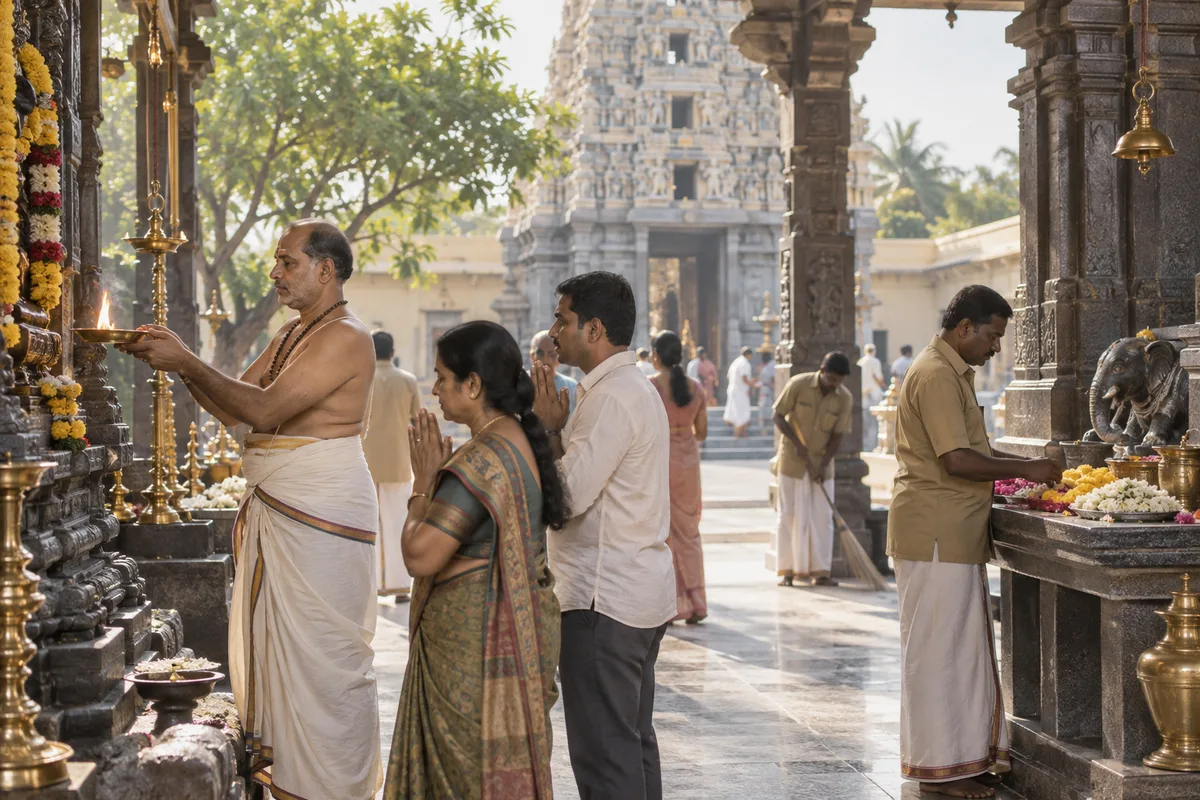
A temple website states timings, sevas with their cost, the year's festival calendar and how to reach the temple, including online booking. GullySales builds it so temple staff can update timings and festival dates themselves, without calling a developer.
Scope, fee, reporting and term are agreed in writing after we have read your brief and spoken to you.
What website means
A website is the page a customer lands on after searching, clicking an advert or scanning a code, and it decides whether they call or leave. GullySales builds and maintains sites that load quickly, explain the offer plainly and make the enquiry form or phone number easy to find.
Last updated 14 Nov 2026.
For temples
Where it usually goes wrong, and what we would do.
“Timings need to survive a change of priest or season”
Darshan timings change for festivals or a priest's availability, so staff can update them without calling a developer.
“Donation pages carry the trust's registration details”
For 80G-eligible donations, the registration number and receipt process need to be visible before a donor pays.
“Mobile comes first”
A devotee checking timings on the way to the temple is on patchy signal, so the site is built to load fast.
“The festival calendar is the busiest page”
Visits peak before Navaratri or the car festival. Put the dates, the sevas and the booking button at the top, and test the page before that week.
What we do
What we deliver for temples.
The work available for this need. We agree the deliverables and responsibilities for your engagement in writing.
Timings and dates staff can update themselves
A website built so temple staff can change darshan timings or festival dates directly, without calling a developer each time.
Result: Timings on the site stay correct even after a change of priest.
Donation page showing registration and receipt process
A donation page stating the trust's registration number and how a receipt is issued, visible to a donor before they pay.
Result: A donor claims their exemption without confusion about the process.
A site built to load fast
The website built light enough to load quickly for a devotee checking timings on the way to the temple, including on weak signal.
Result: A devotee gets the timing they need even on a poor connection.
Seva and festival information kept in one place
Every seva, its cost, and the year's festival calendar listed together, alongside how to reach the temple and book online.
Result: A devotee finds everything they need without checking several pages.
Layout built within the trust's own preferences
The site designed within whatever imagery or layout preferences the trustees want kept, rather than a standard template imposed on the temple.
Result: The website reflects choices the trust actually wanted kept.
A tested donation and seva flow before festival week
The booking and donation pages tried on a phone a week before the busiest festival, including a failed payment and the receipt that follows.
Result: The page works on the day the largest crowd of devotees uses it.
How the result is measured
- Page load time
- Bounce rate
- Enquiries from the website
Recorded as a baseline before work starts, so every later report has an honest comparison.
What the page must show
What a temple's website must show before a devotee plans a visit.
- Darshan timings and when they were last changed
- Show daily timings with the date of the last change, and mark days that differ. A devotee who travelled from another city for a closed door will not come back.
- Sevas by name, offering and booking steps
- List each seva or archana with its offering amount, and say how to book it and whether the devotee must be present. Keep one name for each.
- Dress code and rules inside
- Say what to wear, whether footwear, phones and cameras are allowed, and which queue is for what. It saves an argument at the gate.
- Getting there and the crowded days
- Give the address, Maps link, nearest station or bus stop and parking, and say which days are very crowded, such as festival days.
- Facilities for visitors
- List the cloakroom, prasadam counter, wheelchair access, drinking water and any guest rooms or annadanam timings. Elders and families plan around these.
- One official booking page and a warning
- Name the single official website and number for bookings, and warn devotees about unofficial pages that take payments in the temple's name.
Who it is for
This is written for these temples.
- Ancient and heritage temples with high pilgrim footfall
- Neighbourhood and community temples
- Temple trusts managing more than one shrine
- Shrines with a strong NRI devotee base overseas
- A temple known for one festival or utsavam
- Temples running annadanam and community welfare programmes
Before you decide
When this may not be the right fit.
- The timings, sevas and the festival calendar are not agreed by the trust, so the pages would change as soon as they were built.
- No volunteer or staff member can update the site after launch, and the dates would go stale before the next utsavam.
- The trustees want the site to settle which tradition the temple follows, a matter for the priests and not for a web page.
Before you decide
Agree the work. Know how to judge it.
Website for temples: use these checks to prepare, choose the scope, and review what changes.
Bring the right evidence
List the pages that support a buying decision and the actions visitors must complete. Keep examples of failed forms, unclear product information, and questions your team answers repeatedly.
Make the scope clear
Agree the page list, content ownership, integrations, and who controls the domain and hosting. Include redirects and existing search traffic in a redesign brief, before changing addresses.
Check the work in use
Complete a real enquiry journey on a phone and a laptop. Check that the confirmation appears, the enquiry reaches the right person, and tracking records the action once.
Know when to change course
If visitors can enquire but the team does not follow up, start with the sales handover. A larger website will not resolve that delay.
These are discussion points, not a fixed package. GullySales confirms the deliverables, responsibilities, fee, and term in writing after reading your brief and speaking with you.
Before we start
What to have ready before the work starts.
The records, access and decisions this work needs from temples. Anything missing is noted in the written scope, with who will supply it.
- Current timings and sevas in the trust's words
- A single document, signed off by a trustee, with timings, seva names and rules. This is the content base of the site. Without it, the site launches with placeholders and wrong information cannot be ruled out.
- The domain name and hosting login
- Find out who registered the website address and where it is hosted. If a former volunteer holds it, the trust should recover it before work begins. Otherwise the new site cannot go live at the address devotees know.
- Images the trust approves for publication
- A folder of photographs the trust is happy to display, with permissions noted. The site needs a hero image and several others. Missing images mean the site opens with plain pages until the photo visit is done.
- Payment account details for booking pages
- The authorised signatory must be present when the payment connection is set up. Without it, the booking page can be built but cannot accept offerings, so launch waits.
- A decision on languages
- Tell us which languages the site carries and who translates and approves each. A wrongly translated ritual term is worse than none. If undecided, we launch in English and one regional language only.
How it works
How the website work runs
The work itself, in order. How an engagement starts, from your brief to a written scope, is set out on our method page.
- 1
Take the existing site apart with the office
We open the current site beside the office staff and mark what is still true: the timings, the contact details, the seva list and the donation instructions. They tell us what is out of date and what devotees phone to ask. You decide which pages to keep, and the rest are listed for removal before any new design is drawn.
- 2
Draw the pages from a devotee's questions
A pilgrim planning a visit wants timings, directions, seva booking and rules. We draw the page list in that order and show the trustees a simple outline on paper. Each page has one purpose. What exists is an agreed outline, with the festival page given its own place on the menu.
- 3
Write the pages with the priests reading
We write the deity's page, the history, the festival pages and the visitor guide from what the trust and priests tell us. Each page goes to a priest who corrects the terms. You supply the regional-language versions if the temple wants them. No claim about what worship will bring is written.
- 4
Place the booking and donation pages
We connect the seva booking and donation pages to the payment route the trust has chosen, and place them where a devotee expects to find them. The office clerk tests a booking from start to finish. The pages are built to work on a phone first, as devotees arrive that way.
- 5
Test on the phones devotees actually use
We open the site on older phones, on a slow mobile connection and in the regional language, and try every link. A trustee tests the festival page and the directions. We list what failed and repair it, then repeat the test on the same phones. The site is not released until the office and a trustee are satisfied that a devotee abroad can finish a booking.
- 6
Compare enquiries and bookings to the start
Before launch we recorded the phone queries about timings, the online bookings and the visits the old site received. After the site has served a festival, we set the office registers against those records. We report what the new site changed, what it did not and which page still sends devotees to the phone.
Where this fits
Three pieces of sales work, in this order.
This work sits inside sales process design, at stage 1, prospecting and lead generation. The audit comes before it, and sales management keeps it running.
Step 1
Sales audit
Find where deals are being lost and what to fix first.
Start here if you cannot say where orders are lost.
Step 2 · you are here
Sales process design
One written way to sell, from first enquiry to repeat order.
Start here if every salesperson sells differently.
Step 3
Sales management
A target, a review routine and someone who owns the number.
Start here if the team has targets and no routine.
FAQ
Questions owners ask before they call.
Not here? More answers, or ask on WhatsApp.
Can this reflect design preferences the trustees want kept?
Who updates the site after launch?
Can the site show live darshan or the deity's photograph?
Should the temple site be offered in two languages?
What pages should a temple website have?
How do we add online donation to a temple website?
How much does it cost?
How long is the contract?
How soon will we see results?
Who will actually do the work?
From the blog
Further reading for temples.
 5 min read · 14 Sept 2026Website for an NGO: the pages donors look for before they giveA first-time donor checks your website before paying. The pages and details they look for, in the order they look, and what a small NGO can leave out.
- 5 min read · 12 Oct 2026Tax receipts, FCRA and registrations: how an NGO should present credentials without overclaimingDonors look for registrations before they give. State what you hold in plain words, avoid implying more, and have your adviser confirm the wording.
- 6 min read · 2 Jul 2026How an NGO builds a donor database it can actually useA donor database starts as one row per donor, a few columns and a named owner. The layout, the rules that keep it clean and when to move to a CRM.
More for temples
Related work to consider.
Closest to this: search and visibility
Also for temples
Or start from the overview: sales and marketing for temples.
Your next practical step
Tell us what you are trying to grow, and we will read it before we call.
Eight short steps, mostly taps. Skip anything you would rather answer on the call.