Real estate developers and brokers · Website and landing page visual design
The project page has the configurations and a layout that hides the booking button.
Visual design for a project page is the layout, colour, type and imagery a buyer sees on a phone before reading a word about the flat or the plot. GullySales designs the phone and desktop screens from your identity and your approved wording, and hands your developer organised design files.
Scope, fee, reporting and term are agreed in writing after we have read your brief and spoken to you.
What website and landing page visual design means
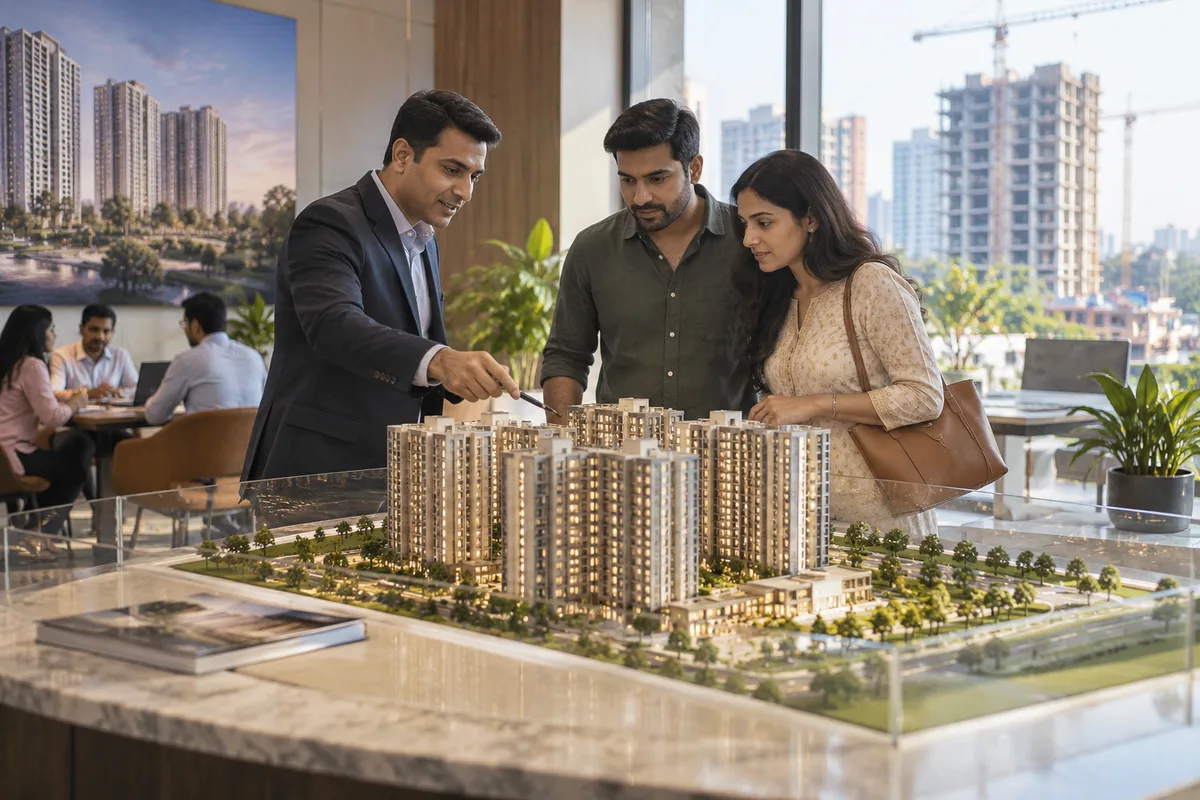
Website and landing page visual design is the artwork of a homepage or a campaign page: the layout, colour, type, imagery and button styling a visitor sees before reading a word. GullySales designs the page screens for phone and desktop from your identity and your approved wording, and hands over organised design files for your developer.
Also for real estate developers and brokers
- SEO for real estate developers and brokers
- Local SEO for real estate developers and brokers
- Website for real estate developers and brokers
- SEO blog writing for real estate developers and brokers
- Pillar page and topic cluster writing for real estate developers and brokers
- Cinema advertising for real estate developers and brokers
- Newspaper advertising for real estate developers and brokers
- Outdoor advertising for real estate developers and brokers
Sales and marketing for real estate developers and brokers, the overview.
Last updated 14 Nov 2026. Rules for this trade differ by state and professional body, and they change. We describe restrictions in general terms, so check the current position with your own council or adviser before you publish anything.
For real estate developers and brokers
Where it usually goes wrong, and what we would do.
“The hero is a render and the registration line is nowhere”
A full-screen render of the tower looks impressive and pushes everything a serious buyer checks below the fold. The registration line, the locality, the configurations and the site visit button all sit under a picture. We decide what the first phone screen must hold, and we keep the render, which sells the dream, in a size that does not bury the facts that settle whether the family will take the visit seriously.
“Buyers arrive from a portal or an advertisement on a phone”
The family came from a listing or an advertisement and opens the page in the middle of an evening, one-handed. A layout drawn on a wide screen stacks into a long column with a floor plan too small to read and a button lost between sections. We design the phone screens first, and then widen the layout for a desktop, because that is the order in which the buyer actually sees it.
“Floor plans, price tables and amenities are all given equal weight”
A project page tries to show everything at one size: the unit plans, the price table, the amenity list, the location map and the construction stage. The buyer cannot tell which matters first. A visual hierarchy gives the configuration and the site visit button the largest place, puts plans in a tappable gallery, and keeps the price table readable without pinching and zooming.
“The page looks different from the hoarding and the brochure”
The hoarding uses one palette, the brochure another, and the page a third. A buyer who sees the hoarding on the way to work and the page that evening cannot tell they are the same project. We bring the page into the project's visual system so recognition carries over, and so a broker's repost points to a page that looks like what was advertised.
What we do
What we deliver for real estate developers and brokers.
The work available for this need. We agree the deliverables and responsibilities for your engagement in writing.
A wireframe of the project page
Before colour and imagery, we draw the page as boxes: the first screen, the configuration section, the plans, the location, the amenities, the site photographs and the form. The sales head and the owner read the order on a page of grey boxes and agree it. That is far cheaper to change than a finished design.
Result: The owner and the sales head approve the order of sections on the wireframe before any styling begins.
Visual direction for the page
We settle the colours, type, spacing and image treatment, taken from your brand and the project's own look. The direction says how a render sits beside a site photograph, how a floor plan is drawn so it is readable on a phone, and how the registration line is set so that it is visible but quiet.
Result: A one-page direction sheet that your developer and your printer can both follow.
Phone and desktop screen designs
We design the finished screens for the project page on a phone and on a desktop, including the first screen, the configuration cards, the plan gallery, the location block and the closing section. We use your real photographs and your approved wording, and mark any render as an impression.
Result: Finished screens you can open on a phone to see exactly how each section reads.
Button, form and section styles
One button style for the site visit or the brochure request, one style for secondary links, and one form style for name, phone and preferred visit day. We set a single raised button per screen, so the buyer is never choosing between three equal calls to action.
Result: Each screen has one clear main button, and the form fields are large enough to tap.
A second page for a second audience
Where you sell to two audiences, for example local families and buyers living abroad, we make a variant of the page with a different leading screen and different proof. The structure stays the same so the developer builds it once. We leave the wording of anything about foreign buyers' rules to your own adviser.
Result: Two versions of the page share one structure, and only the leading screen and proof differ.
An annotated design file for your developer
The final design is handed over in organised files, with sizes, spacing, colours and fonts named, and notes for how each section behaves on a small screen. Your developer builds from the file without asking us what a margin should be, and your own staff can open and read the files.
Result: The developer builds the page from the file with few questions back to us.
How the result is measured
- Enquiries or bookings that start from the page's main button
- Visitors who scroll past the first screen on a phone
- Time your developer spends asking design questions
Recorded as a baseline before work starts, so every later report has an honest comparison.
Who it is for
This is written for these real estate developers and brokers.
- Residential apartment developers
- Villa and plotted development builders
- Commercial and office space developers
- Independent brokers and channel partner networks
- Redevelopment and rehabilitation projects
- Plot and land aggregators
- NRI-focused residential projects
- Affordable and mid-income housing developers
- Luxury and premium residential developers
Before you decide
Agree the work. Know how to judge it.
Website and landing page visual design for real estate developers and brokers: use these checks to prepare, choose the scope, and review what changes.
Bring the right evidence
List the pages that support a buying decision and the actions visitors must complete. Keep examples of failed forms, unclear product information, and questions your team answers repeatedly.
Make the scope clear
Agree the page list, content ownership, integrations, and who controls the domain and hosting. Include redirects and existing search traffic in a redesign brief, before changing addresses.
Check the work in use
Complete a real enquiry journey on a phone and a laptop. Check that the confirmation appears, the enquiry reaches the right person, and tracking records the action once.
Know when to change course
If visitors can enquire but the team does not follow up, start with the sales handover. A larger website will not resolve that delay.
These are discussion points, not a fixed package. GullySales confirms the deliverables, responsibilities, fee, and term in writing after reading your brief and speaking with you.
Before we start
What to have ready before the work starts.
The records, access and decisions this work needs from real estate developers and brokers. Anything missing is noted in the written scope, with who will supply it.
- The approved wording for the page
- Bring the headline, configuration text, amenity list and any price or possession wording your adviser has cleared. We design around real words. When the text is missing, we must use placeholders, and the layout then changes when the real lines turn out longer than the guesses.
- Photographs of the real site and the sample flat
- Send recent photographs of the construction, the sample flat, the approach road and the neighbourhood. Real pictures carry the page for a serious buyer, and renders support them. If only renders exist, we label them as impressions and keep room in the layout for photographs as the site advances.
- Floor plans in a usable form
- Send the unit plans as drawings, not photographs of printed brochures. A plan photographed at an angle cannot be made legible on a phone. If plans are only available on paper, tell us, since a redrawn plan needs approval from whoever holds the architect's drawings.
- Your enquiry and booking figures
- Share what you hold: calls from the current page, site visit bookings, and which portal or advertisement sent them. We cannot read the result of our design unless the starting figures are written down. If you hold none, we set up a simple register first.
- The name of your developer
- Tell us who builds the page, or that you have not chosen. We design to what that person can build and agree the file format with them. Without a developer named, the handover files may be in a format that your chosen builder cannot open.
How it works
How the website and landing page visual design work runs
The work itself, in order. How an engagement starts, from your brief to a written scope, is set out on our method page.
- 1
Read the brief, the wording and the competition
We read your project brief, the approved wording and the brochure, and study the pages that competing projects in the same locality show a buyer. Before any design begins, we record how the current page performs on measures you already hold: enquiries from the main button, calls after the page, and complaints that the page differs from the sample flat.
- 2
Agree what the first screen carries
The first phone screen decides whether the family reads on. With the sales head we choose its contents: the project name, the locality, the configurations, the registration line and one button. Everything else is placed in the order a buyer asks questions on a site visit, so the page reads in the same sequence as a conversation at the sales desk.
- 3
Draw the wireframe in the order buyers ask
We draw the page as grey boxes, starting with the phone. The configurations come before the amenity list, the plans before the price table, and the location before the builder's history. The owner reads the wireframe and moves sections. A form is placed after the plans, where interest is highest, and also at the close for the buyer who read to the end.
- 4
Apply the visual direction to the screens
We apply colour, type and imagery, using your photographs of the actual site and sample flat as the main pictures and renders as supporting ones. We test the contrast of the button, the legibility of the floor plan on a small screen and the readability of the price table, and we keep the registration line visible without making it the headline.
- 5
Review on a phone, then adjust once
The approver opens the design on a real phone and goes through it as a buyer would, from the advertisement to the form. Changes are collected from the owner, the sales head and your adviser in a single round. We then correct the screens and recheck that the first screen still holds everything agreed.
- 6
Prepare the handover and read the figures
We prepare the annotated files, the style sheet and the notes for the developer. After the page is built from our design, we compare its main-button enquiries and the developer's number of design questions against the figures recorded at the start. The page itself is built and hosted by your developer, in a separate scope.
Where this fits
Three pieces of sales work, in this order.
This work sits inside sales process design, at stage 1, prospecting and lead generation. The audit comes before it, and sales management keeps it running.
Step 1
Sales audit
Find where deals are being lost and what to fix first.
Start here if you cannot say where orders are lost.
Step 2 · you are here
Sales process design
One written way to sell, from first enquiry to repeat order.
Start here if every salesperson sells differently.
Step 3
Sales management
A target, a review routine and someone who owns the number.
Start here if the team has targets and no routine.
FAQ
Questions owners ask before they call.
Not here? More answers, or ask on WhatsApp.
Do you build the page as well as design it?
Must the registration number be on the page?
Can the page show the price?
Which should come first, the render or the site photograph?
Can you design pages for a broker rather than a developer?
How will we know the new design worked?
How long is the contract?
How soon will we see results?
Who will actually do the work?
What do you need from us?
From the blog
Further reading for real estate developers and brokers.
 6 min read · 10 Oct 2026How real estate businesses can qualify leads before site visitsSix questions on WhatsApp or a short call decide whether a buyer gets a site visit, and keep your sales team's weekends for visits that count.
 5 min read · 6 Oct 2026How buyers shortlist a property or construction firmProperty and construction buyers take a name from a broker, architect, bank or relative before seeing your ad. See who gives it and what keeps you listed.
 6 min read · 21 Sept 2026TV advertising vs OTT advertising: what are you actually buying?Television sells slots against ratings and prices in the wastage. OTT sells impressions to chosen people and charges for the choosing.
More for real estate developers and brokers
Related work to consider.
Closest to this: search and visibility
Also for real estate developers and brokers
- Cinema advertising for real estate developers and brokers
- Newspaper advertising for real estate developers and brokers
- Outdoor advertising for real estate developers and brokers
- Radio advertising for real estate developers and brokers
- PPC ads for real estate developers and brokers
- Lead generation for real estate developers and brokers
Or start from the overview: sales and marketing for real estate developers and brokers.
Your next practical step
Tell us what you are trying to grow, and we will read it before we call.
Eight short steps, mostly taps. Skip anything you would rather answer on the call.